
Amazon PPC and Advertising: The Complete Guide to Profitable Sponsored Ads in 2026
Profitable Amazon advertising in 2026 isn't about spending less — it's about knowing exactly which clicks earn money and which quietly drain your P&L. The sellers who win treat PPC as a profit system, not a traffic faucet: they anchor every bid to a break-even ACoS, watch TACoS to confirm advertising is actually building organic rank, and continuously harvest converting search terms while negating the wasteful ones. This guide covers the full Amazon Ads stack — Sponsored Products, Sponsored Brands, and Sponsored Display — plus the bid strategies, placement multipliers, dayparting schedules, and search-term discipline that separate campaigns that scale from campaigns that just spend. Whether you manage $2K or $200K a month in ad spend, the mechanics are identical: measure profit per keyword, cut what doesn't convert, and let the winners compound. SellerForge's PPC Command, Search Terms, Dayparting, and Placements modules automate the tedious parts, but the strategy below works with any tooling — the discipline matters more than the software.
ACoS or TACoS: Which Metric Should Drive Your PPC Decisions?
Use both, but for different jobs. ACoS (ad spend divided by ad-attributed sales) tells you whether an individual campaign, keyword, or placement is profitable right now. TACoS (ad spend divided by total sales, including organic) tells you whether your advertising is building durable organic rank. ACoS optimizes the tactic; TACoS validates the strategy.
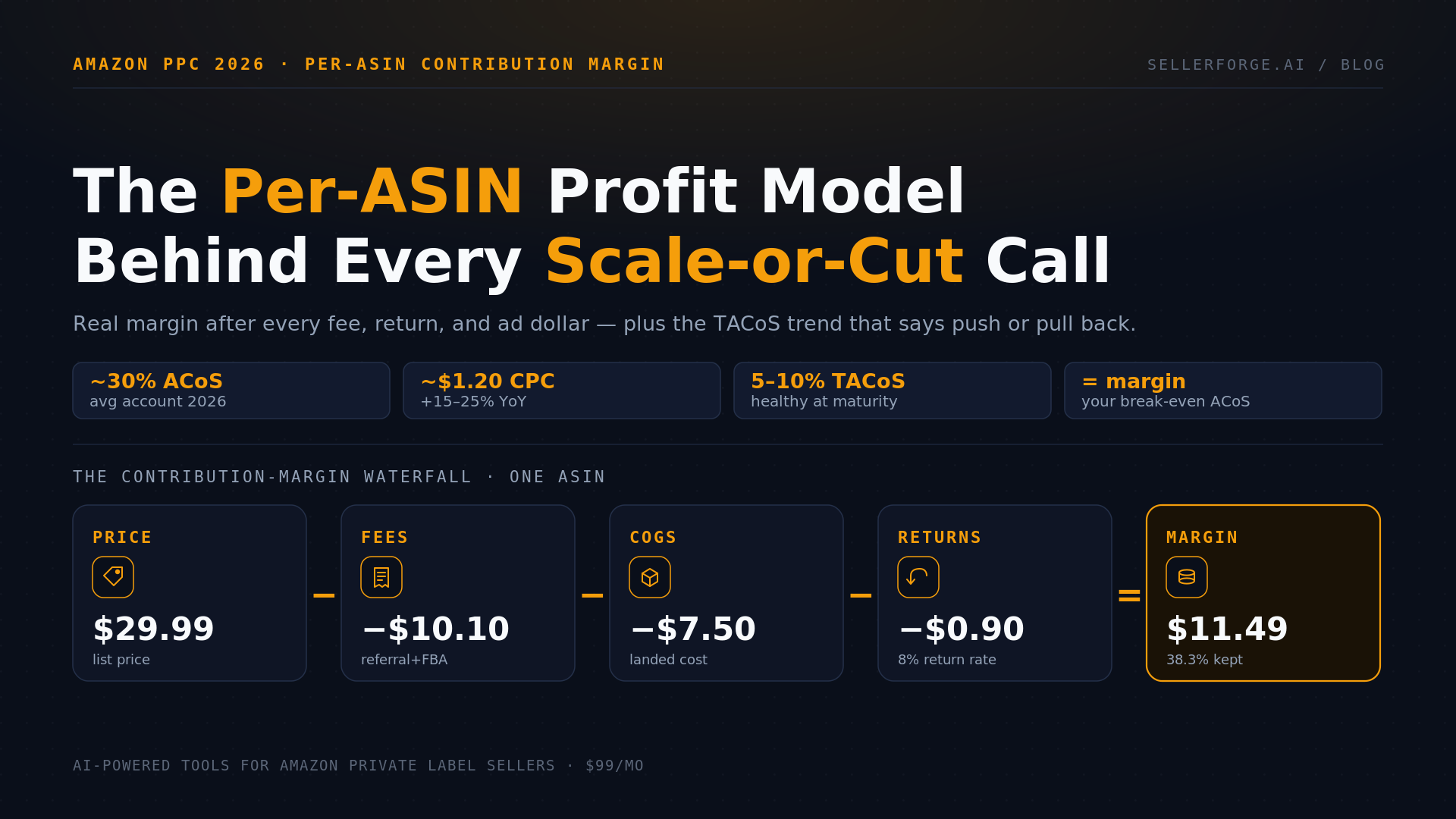
The number that anchors everything is your break-even ACoS — the point where ad spend equals your pre-advertising profit margin. If your net margin before ad cost is 34%, any keyword running above 34% ACoS is losing money on that incremental sale, and any keyword below it is profitable. Target ACoS then flexes around break-even by lifecycle stage: during launch you intentionally run above break-even to buy rank, reviews, and velocity; at maturity you pull most keywords to at or below it.
TACoS is the trend that reveals whether the spend is compounding. Rising TACoS with flat total revenue means you're buying sales you'd likely have earned organically, or your organic rank is slipping. Falling TACoS while revenue climbs is the flywheel you want — ads seeding rank, organic taking over, and advertising becoming a smaller share of a growing top line. Track TACoS monthly per ASIN, not just at the account level, because a single hero product can mask a portfolio of unprofitable spend underneath it.
- Break-even ACoS = your profit margin before ad spend (35% margin means a 35% break-even ACoS).
- Launch phase: run above break-even to buy rank, reviews, and sales velocity.
- Maturity phase: pull the majority of keywords to at or below break-even.
- Rising TACoS with flat sales is a warning sign; falling TACoS with rising sales is a healthy flywheel.
Sponsored Products, Sponsored Brands, and Sponsored Display: What Each Is For
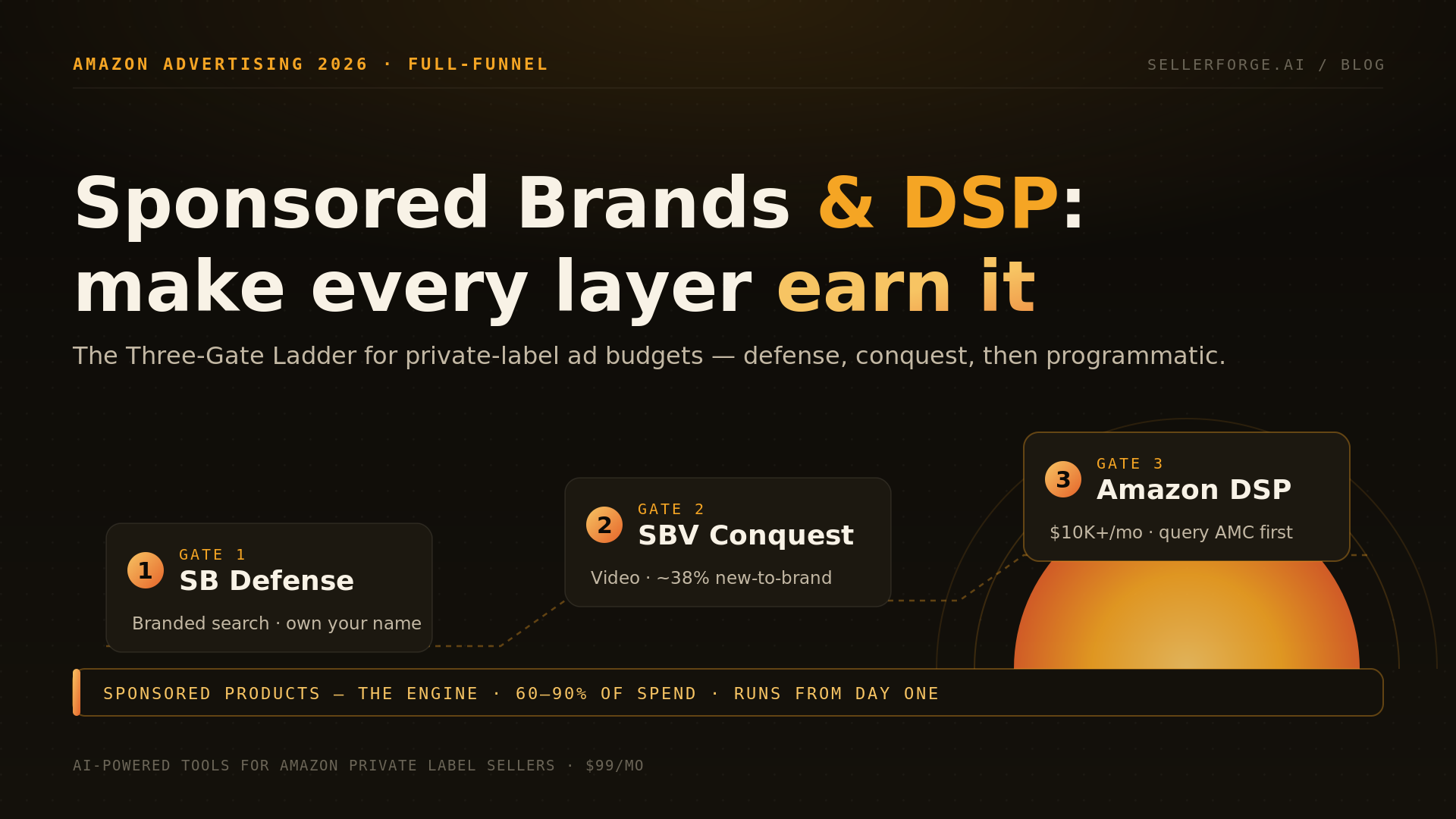
Each ad type does a different job. Sponsored Products places individual listings in search results and on competitor detail pages and drives the bulk of most sellers' PPC sales — start here. Sponsored Brands uses headline banners, Store links, and video to build awareness and defend branded search. Sponsored Display retargets shoppers and pins your ads to competitor pages.
Sponsored Products has two campaign structures: automatic, where Amazon matches your ad to search terms and ASINs it deems relevant, and manual, where you choose keywords (broad, phrase, exact) or product and category targets. The proven pattern is to run auto and broad campaigns as discovery engines that surface converting search terms, then graduate those winners into tightly controlled exact-match and product-targeting campaigns where you set precise bids.
Sponsored Brands and Sponsored Display both require Brand Registry. Sponsored Brands earns premium top-of-search real estate and, with video, some of the highest click-through rates on the platform — use it to own your brand name and hero category terms. Sponsored Display extends reach to product pages and off-Amazon placements, and its audiences (views remarketing, purchase remarketing) let you recapture shoppers who viewed but didn't buy. In 2026, Sponsored TV and Amazon DSP have also become accessible to more mid-size sellers for upper-funnel reach, though Sponsored Products remains the profit workhorse.
- Sponsored Products — search and product-page placements for individual ASINs; the profit workhorse where most budget belongs. No Brand Registry required.
- Sponsored Brands — headline banners, Store spotlight, and video; owns branded search and hero category terms (Brand Registry required).
- Sponsored Display — retargets viewers and past purchasers and pins ads to competitor detail pages, on and off Amazon (Brand Registry required).
Bid Strategy and Placement Multipliers: Where Your Budget Actually Goes
Amazon offers three bidding strategies — dynamic bids down-only, dynamic bids up-and-down, and fixed — plus placement multipliers of up to 900% for top-of-search and product pages. Down-only protects budget while you learn a campaign; up-and-down scales proven winners; placement multipliers let you concentrate spend where your ASIN actually converts.
Dynamic bids – down only lowers your bid in real time when Amazon predicts a click is unlikely to convert; it's the safest default for new or unproven campaigns. Dynamic bids – up and down can raise your bid up to 100% for high-converting top-of-search opportunities — powerful once a campaign has a conversion history, dangerous before it does. Fixed bids hold your exact bid regardless of Amazon's prediction, useful for pure rank plays and controlled tests.
Placement data is where most sellers leave money on the table. Top-of-search almost always has the highest click-through and conversion rate but also the highest cost-per-click; product pages convert lower but far cheaper. Rather than one blended bid, read your campaign's placement report and set separate multipliers — bidding up top-of-search on a keyword that converts there and pulling back where it doesn't. SellerForge's Placements module surfaces this as a campaign-by-placement grid with profit-based suggestions, so you're not exporting spreadsheets to find the leaks.
Search-Term Harvesting and Negation: The Core PPC Discipline
Harvesting means promoting search terms that convert in your auto and broad campaigns into their own exact-match targets, where you control the bid. Negation means adding non-converting or irrelevant terms as negative keywords so you stop paying for them. Run weekly, this single loop is the highest-leverage routine in Amazon PPC.
The workflow runs off the Search Term Report, which shows the actual customer queries that triggered your ads. A term with solid orders and acceptable ACoS gets harvested into an exact-match campaign — isolating it lets you bid it precisely and prevents it from competing in the broad campaign's auction. A term with clicks and spend but no orders gets negated as negative exact. A cluster of irrelevant variants gets negated as negative phrase.
Negation is where discipline compounds. Every irrelevant search term you kill permanently removes that leak instead of re-paying for it every week, and negative phrase targets let you block whole families of bad queries with one entry. The risk is over-negation — cutting a term that occasionally converts — so gate negatives on a minimum click threshold (commonly 10–15 clicks with zero orders) before pulling the trigger. SellerForge's Search Terms module automates both sides: it flags harvest candidates by converting-term performance and proposes negatives that clear a fairness threshold, so you approve rather than hunt.
- Harvest: a search term with several orders and ACoS at or below target — promote it to an isolated exact-match campaign.
- Negate exact: a search term with 10–15+ clicks and zero orders — add it as a negative exact keyword.
- Negate phrase: block families of irrelevant queries (wrong size, wrong use-case, competitor-branded) with a single negative-phrase entry.
- Isolate harvested exacts in their own campaign so their bids don't collide with the discovery campaigns that surfaced them.
Dayparting and Wasted Spend: Cutting the Leaks
Dayparting adjusts bids by hour and day of week so you spend more when your conversion rate is high and less when shoppers browse but rarely buy. Paired with pruning zero-conversion keywords and unprofitable placements, it recovers the slice of ad budget — often 15–25% — that leaks through low-value hours and dead clicks.
Dayparting works because conversion rate is not constant across the week. Many categories convert best in evenings and weekends and worst during weekday work hours, yet a flat bid pays the same for both. By reading conversion rate by hour from your campaign data and lowering bids (or pausing budget) in the weakest windows, you shift spend toward the hours that actually produce orders. Amazon's native tools handle this crudely; true hour-level control generally requires the Amazon Ads API, which is what SellerForge's Dayparting module uses to apply schedules automatically.
Wasted spend accumulates quietly and shows up in predictable places. Audit for it every month rather than waiting for a bad P&L to force the conversation — the leaks below rarely announce themselves, and they compound the longer campaigns run untended.
- Keywords with meaningful spend and zero orders over a 30–60 day window.
- Irrelevant search terms that keep matching inside broad and auto campaigns.
- Placements (often rest-of-search or product pages) running well above your break-even ACoS.
- Ads on ASINs that are out of stock or about to be — you pay for clicks you can't fulfill and lose rank.
- Overlapping keywords competing against yourself across multiple campaigns.
- Low-conversion dayparts that drain budget before your profitable hours arrive.
How to Build a Profitability-First PPC System
Anchor every decision to profit, not vanity metrics. Set target ACoS from your true break-even, structure campaigns so discovery and performance are separated, harvest and negate weekly, tune placements and dayparts monthly, and never bid on stock you can't ship. Impressions and clicks are inputs; profit per ASIN is the scoreboard.
A profitability-first account has a clear architecture: auto and broad campaigns for discovery, exact-match and product-targeting campaigns for performance, and Sponsored Brands defending your branded terms. Budgets flow to the campaigns with proven profitable conversion, not evenly across everything. Every ASIN carries its own target ACoS tied to its margin and lifecycle stage, so a thin-margin product and a hero product are never optimized to the same number.
The system is a cadence, not a one-time setup. Weekly: harvest converters, negate wasters, and check for anomaly spikes before they hit the P&L. Monthly: review placement multipliers, dayparting schedules, and the TACoS trend per ASIN. Always: throttle or pause ads on ASINs heading for a stockout, because paying for clicks on unavailable inventory is pure waste and damages rank. SellerForge's PPC Command ties these together — economics, search-term harvesting, placements, and dayparting in one workspace — but a seller who runs this loop by hand will still beat one who buys software and ignores the reports.
Frequently Asked Questions
5 articles in Advertising

Stop reading. Start shipping.
SellerForge turns these playbooks into one-click AI workflows — from $49/month.
No credit card required