Contribution margin per ASIN is the sale price minus every variable cost of selling one unit — referral, FBA, the 3.5% fuel surcharge, storage, placement, landed COGS and returns. That percentage IS your break-even ACoS. Compute it per ASIN, set your target below it, and read the TACoS trend to decide whether ads are building organic rank or renting it.
Your ad ceiling on any ASIN is that ASIN's contribution margin. Break-even ACoS equals the percentage of the sale price you keep after the referral fee, the FBA fee, the fuel surcharge, storage, placement, landed COGS and returns — nothing else. Spend under that number and advertising buys profit. Spend over it and advertising buys revenue you pay for.
That is the whole model, and it is why two ASINs running the same ACoS can be opposite businesses. Two of your products ran a 28% ACoS last month. By the one number on most sellers' dashboards they are twins — both under the roughly 32% account average, both comfortably 'fine.' One is quietly your most profitable product. The other loses money on every unit it sells. ACoS cannot tell them apart. Contribution margin can.
I ran 57 Amazon accounts representing $350M+ in sales at Worldfront before building SellerForge, and the single most common expensive mistake I saw was a blanket ACoS rule applied to a catalog whose margins ranged from 12% to 45%. This post is the hands-on model: build the waterfall honestly, derive the ceiling, and use the TACoS trend to decide where to push. It was first published in June 2026 and rebuilt in September, because three separate cost lines moved underneath it in the meantime.
What is contribution margin per ASIN?
Contribution margin per ASIN is what a single unit contributes to fixed costs and profit after every variable cost of selling that unit is stripped out. It is not gross margin, and it is not the number in your P&L. It is a per-unit figure you build from data you already have, and it is the only input that legitimately sets an ad target.
Start at the sale price and subtract, in order:
- Referral fee — a share of the total sale price set by category, from 5% (Clothing at $15 or less) to 45% (Amazon Device Accessories), with most of the catalog at 15% and a $0.30 per-unit minimum in most categories (Grocery and Gourmet, Media, Video Games, Video Game Consoles and Gift Cards have none). Referral rates did not change in 2025 or 2026, so this is the one line that has not moved.
- FBA fulfillment fee — the per-unit pick-pack-ship charge for the size and weight tier, up roughly $0.08 per unit on average since the January 15, 2026 restructure.
- Fuel and logistics surcharge — 3.5% of the fulfillment fee (not the sale price) on every US and Canada FBA unit since April 17, 2026.
- Storage, allocated per unit — $0.78 per cubic foot per month January through September, and $2.40 in the October–December peak. Allocate on a blended rate, not the off-peak one.
- Inbound placement, allocated per unit — $0.14–$1.90 per standard-size unit on minimal splits under the January 2026 weight-banded rate card ($0.14–$0.40 for items up to 12 oz), or $0 if you qualify for Amazon-optimized splits (at least five identical cartons or pallets per item, when Amazon offers them).
- Landed cost of goods — unit cost plus freight and duty, not just the supplier invoice.
- Returns provision — your return rate times the cost of a return, now including the returns processing fee on its own rate card since January 15, 2026.
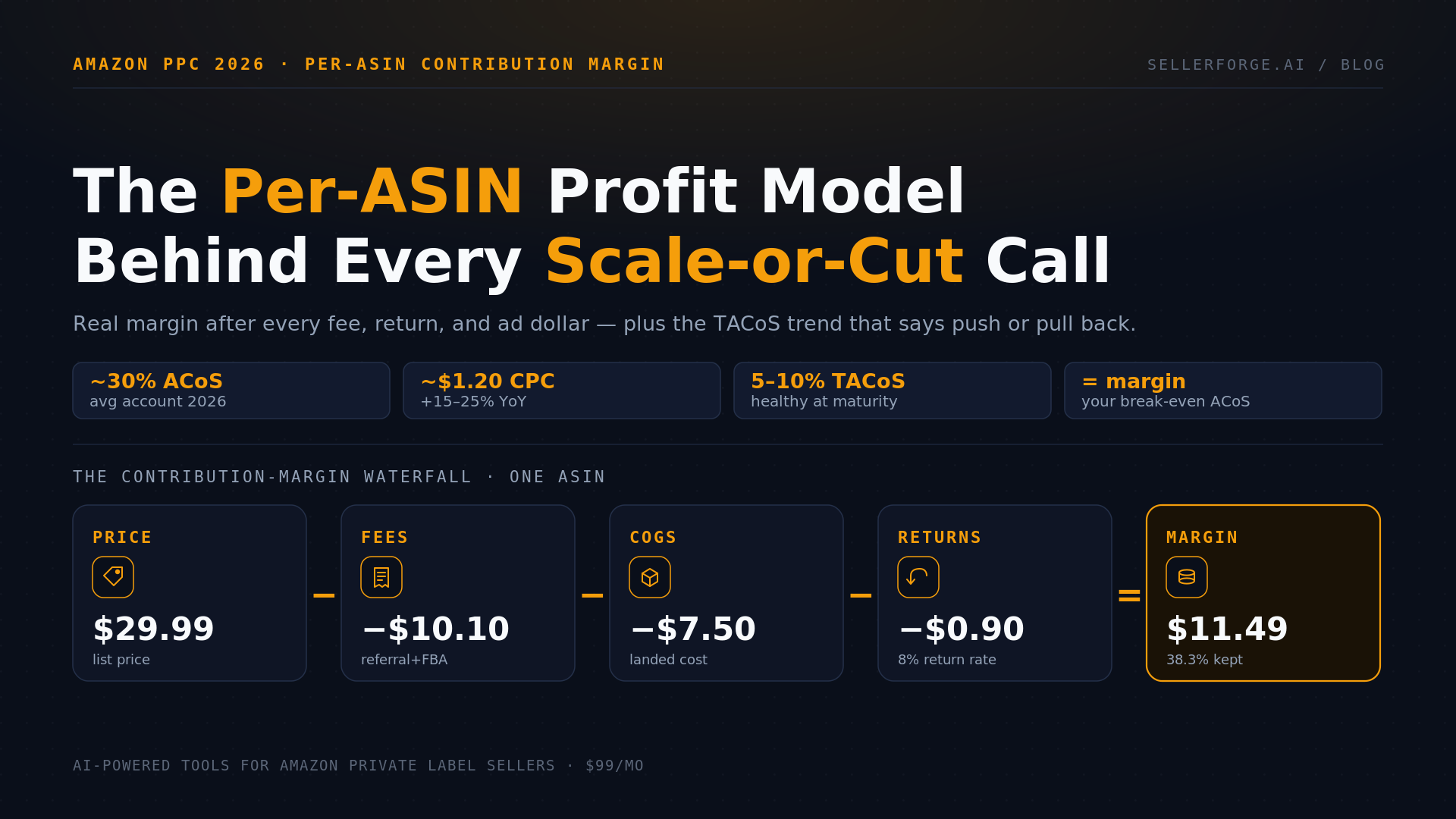
What is left is contribution margin before advertising. Here is the waterfall on a $29.99 standard-size ASIN, priced on today's cost stack:
| Line item | Per unit | Notes |
|---|---|---|
| Sale price | $29.99 | List price the buyer pays |
| Referral fee (15%) | −$4.50 | Category rate; frozen for 2026 |
| FBA fulfillment fee | −$5.04 | Large standard, 1+ to 1.25 lb, $10–$50 band (2026 non-peak card) |
| Fuel & logistics surcharge (3.5%) | −$0.18 | 3.5% of the fulfillment fee, since Apr 17 2026 |
| Storage (allocated, blended) | −$0.36 | ~0.1 cu ft held about three months at ~$1.19/cu ft, blended across the $0.78 / $2.40 year |
| Inbound placement (allocated) | −$0.15 | Blend of minimal splits ($0.24–$0.50 at this weight) and $0 Amazon-optimized ones |
| Landed COGS | −$7.50 | Unit + freight + duty |
| Returns provision (8% rate) | −$0.90 | Processing fee + lost units |
| Contribution margin (before ads) | $11.36 (37.9%) | Your break-even ACoS on this ASIN |
Notice what is not in that table: advertising. It is deliberately excluded, because margin before ads is the input that decides how much advertising a unit can afford in the first place. Notice also how much of that 2026 took: the January fee update (about $0.08 a unit on average) and the April surcharge ($0.18 here) cost this unit roughly a point of margin without anyone changing a price.
To sanity-check the margins you compute against the rest of the market, see the 2026 Amazon FBA profit-margin benchmarks by category, which carry the full $100→net waterfall. And because contribution margin is only as honest as the fee data underneath it, the FBA fee-leakage audit shows how to reconcile what Amazon charged against what it should have — on the 60-day clocks that now govern reimbursements.
What changed in 2026 — and what it cost you
Three cost lines moved in 2026 and all three land inside the contribution-margin waterfall: fulfillment fees rose in January, a 3.5% fuel and logistics surcharge was bolted onto fulfillment in April, and the returns processing fee got its own rate card. Referral fees, the largest single line, were frozen. That mix matters: the damage is concentrated where most sellers' models are stalest.
| What changed | Effective | Per-unit impact | Where it hits the waterfall |
|---|---|---|---|
| FBA fulfillment fee restructure | Jan 15, 2026 | ~+$0.08 average | Fulfillment line; weight bands redrawn |
| Fuel & logistics surcharge (3.5%) | Apr 17, 2026 (US/CA) | 3.5% of the fee ($0.18 on the unit above) | Multiplies the fulfillment fee, not the sale price |
| Returns processing fee rate card | Jan 15, 2026 | $1.65+ per returned unit | Returns provision; no threshold for apparel/shoes |
| Inbound placement re-banding | Jan 15, 2026 | ~+$0.05 average | Placement line; $0 only on Amazon-optimized splits |
| Q4 peak storage | Oct 1 – Dec 31 | $2.40 vs $0.78 per cu ft | Storage line; 3x for one quarter of the year |
| Referral fees | Frozen 2025 & 2026 | No change | Referral line |
Two of these are worth reading at the source. Amazon's 3.5% surcharge applies to the fulfillment fee and was extended to Buy with Prime and MCF on May 2 — Supply Chain Dive's coverage has the scope and the carrier context. The returns processing fee now runs on a standalone rate card with category thresholds in the 5–8% range and no threshold at all for apparel and shoes — Feedvisor's 32-category breakdown is the clearest published version.
The Q4 storage number is where most margin models are wrong. Peak standard-size storage is $2.40 per cubic foot per month against $0.78 the rest of the year — a 3x multiplier, not a rounding error. Allocate storage on a blended ~$1.19 and your Q4 P&L stops surprising you.
How do you calculate break-even ACoS?
Break-even ACoS equals your contribution margin percentage before advertising. The $29.99 ASIN above keeps $11.36 per unit, or 37.9%, so any ad-driven sale under a 37.9% ACoS adds profit and anything above it loses money on that unit. That number is derived from your own costs, not pulled from an industry average — which is the entire point.
Break-even is the cliff edge, not the target. Target ACoS is break-even minus the margin you want to keep on ad-driven units:
The ASIN Ceiling Rule: every ASIN's ad ceiling is its own contribution margin. Break-even ACoS = contribution margin %. Target ACoS = break-even − the points you want to retain. A catalog-wide ACoS target is a ceiling borrowed from a product you do not sell.
Run the popular 'keep ACoS under 30%' rule through that. On this 37.9%-margin product a 30% ACoS is profitable with room to spare. On a 22%-margin product the same 30% ACoS is underwater on every ad-driven unit. Same rule, opposite outcomes, because the rule ignored the only variable that mattered — and it does the damage invisibly, month after month, on the SKUs least able to absorb it.
ACoS, TACoS, or contribution margin — which should you manage to?
All three, on different questions. ACoS judges the campaign, TACoS judges the channel, and contribution margin judges the product. Managing to only the first is how sellers end up with stable, efficient, unprofitable campaigns: the metric was never measuring the thing they cared about.
| Metric | Formula | The question it answers | What it is blind to |
|---|---|---|---|
| ACoS | Ad spend ÷ ad-attributed sales | Is this campaign efficient on its own terms? | Your margin, your organic sales, post-sale costs |
| TACoS | Ad spend ÷ total sales (ad + organic) | Are ads building organic rank or renting demand? | Whether the underlying unit is profitable at all |
| Contribution margin | Price − all variable costs per unit | Is this product worth advertising? | Whether the spend is compounding over time |
| All three, per ASIN | Margin sets the ceiling; ACoS checks the unit; TACoS reads the trend | Scale, hold, fix, or cut — with a number behind it | Nothing that matters at the ASIN level |
TACoS is the bridge. A TACoS that falls while total revenue grows means ads are compounding — you are spending the same or less and generating more total revenue because organic rank is climbing. A TACoS that is flat or rising while revenue stalls means ads are substituting for organic demand instead of building on it. ACoS can look identical in both cases.
The 2026 benchmarks by lifecycle stage, with the caveat that direction beats level:
- Mature, established product: healthy TACoS around 5–10%, and 1–5% for a genuinely dominant listing. Sustained above ~15% at maturity usually signals organic rank slipping, a listing or review problem, or a new competitor.
- Growth phase (roughly months 3–9): TACoS should be trending down toward 12–20% as organic sales climb and reviews accumulate.
- New launch: 25% or higher can be a deliberate investment to build velocity and penetrate the category — provided you have named an end date for it.
Read the direction, not the dot. A 22% TACoS on a six-month-old product that was 30% last quarter is a flywheel spinning up. The same 22% on a three-year-old product that was 9% last year is a flywheel grinding down. Identical number, opposite businesses.
For context on where the market sits: typical accounts run roughly a 32% ACoS at a $1.18–$1.22 CPC with TACoS in the 10–15% band, though category medians spread enormously — from about 19% ACoS in Books to 42% in Clothing, at CPCs from $0.38 to $1.45 (Autron's 2026 category benchmarks). Those are useful for sanity checks and useless as targets, which is the difference this post exists to make.
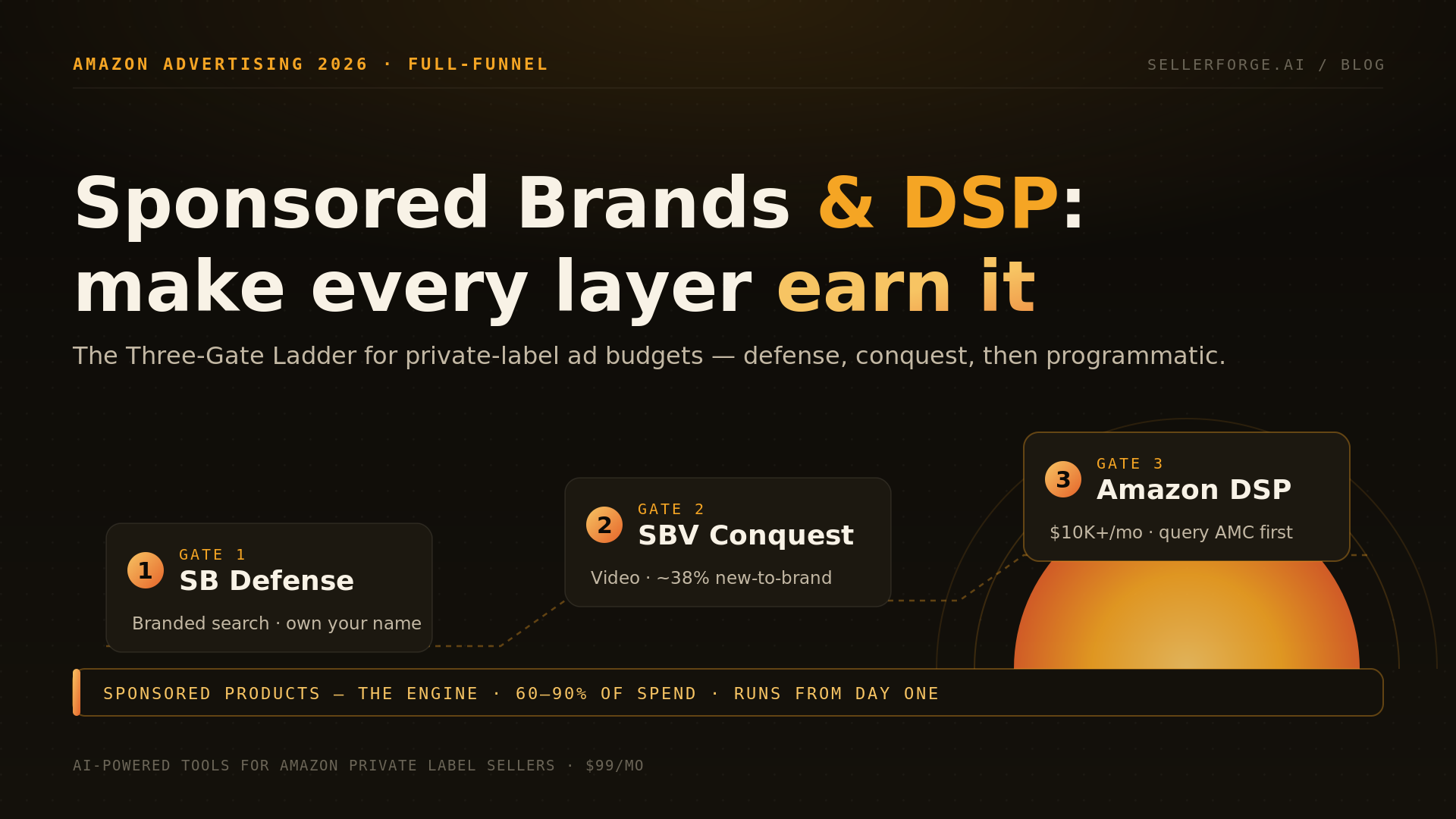
TACoS is also the number that disciplines format expansion: before adding Sponsored Brands or DSP on top of Sponsored Products, run the gates in the Sponsored Brands and DSP playbook for private label — each new layer has to move blended TACoS, not just its own campaign ACoS.
Should every ASIN have the same target? Run a portfolio instead
No — one efficiency target across a catalog simultaneously underfunds your launches, which need aggressive spend to build rank, and overspends your earners, which should be protecting margin. Allocate by lifecycle stage and margin profile instead. Four archetypes cover most catalogs.
| Archetype | Stage / margin | TACoS posture | Target ACoS | Judged on |
|---|---|---|---|---|
| Launch Star | New, healthy margin, building rank | High by design (20–30%+) | At or above break-even, temporarily | Rank & velocity, not profit |
| Growth Climber | Months ~3–9, margin intact | Trending down to 12–20% | Below break-even | The downward trend |
| Mature Cash Cow | Established, strong organic | Low ceiling (5–10%) | Well below break-even | Protected contribution margin |
| Decliner / Thin-margin | Losing rank, or <15% margin before ads | Minimize | Defensive only, or none | Whether to advertise at all |
This is also where 2026's AI bidders cut both ways. Amazon's Ads Agent entered beta at the start of the year — natural-language campaign creation and automated bidding at no additional fee, with early testers reporting 30–40% time savings and 12–18% ACoS improvements. But an automated bidder optimizes toward whatever target you hand it. Feed it one account-wide ACoS goal and it will efficiently execute exactly the wrong thing: squeezing launches to hit a number they should not be hitting yet, and leaving margin on the table on your cash cows. The bidder is only as smart as the per-ASIN ceiling underneath it.
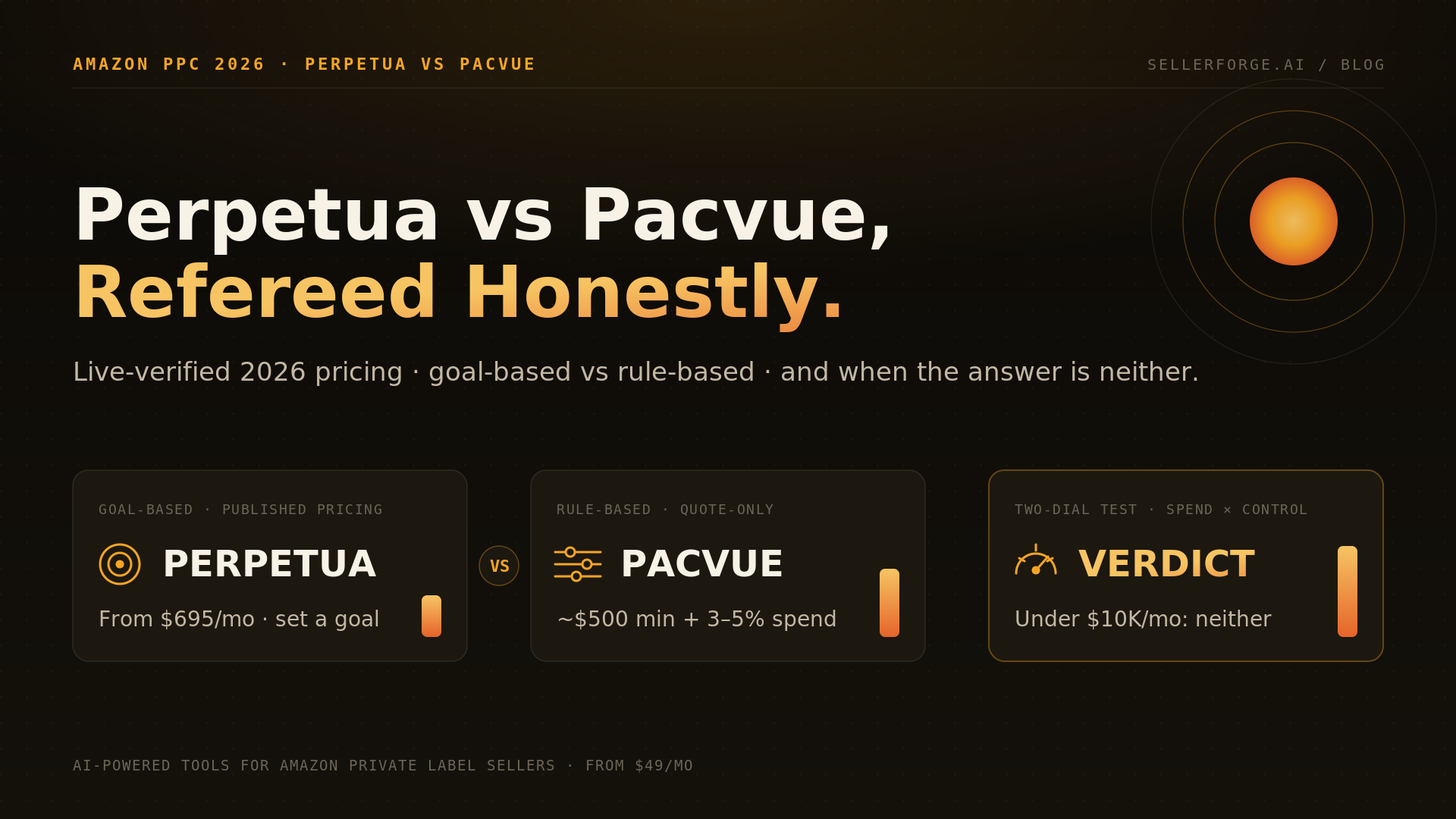
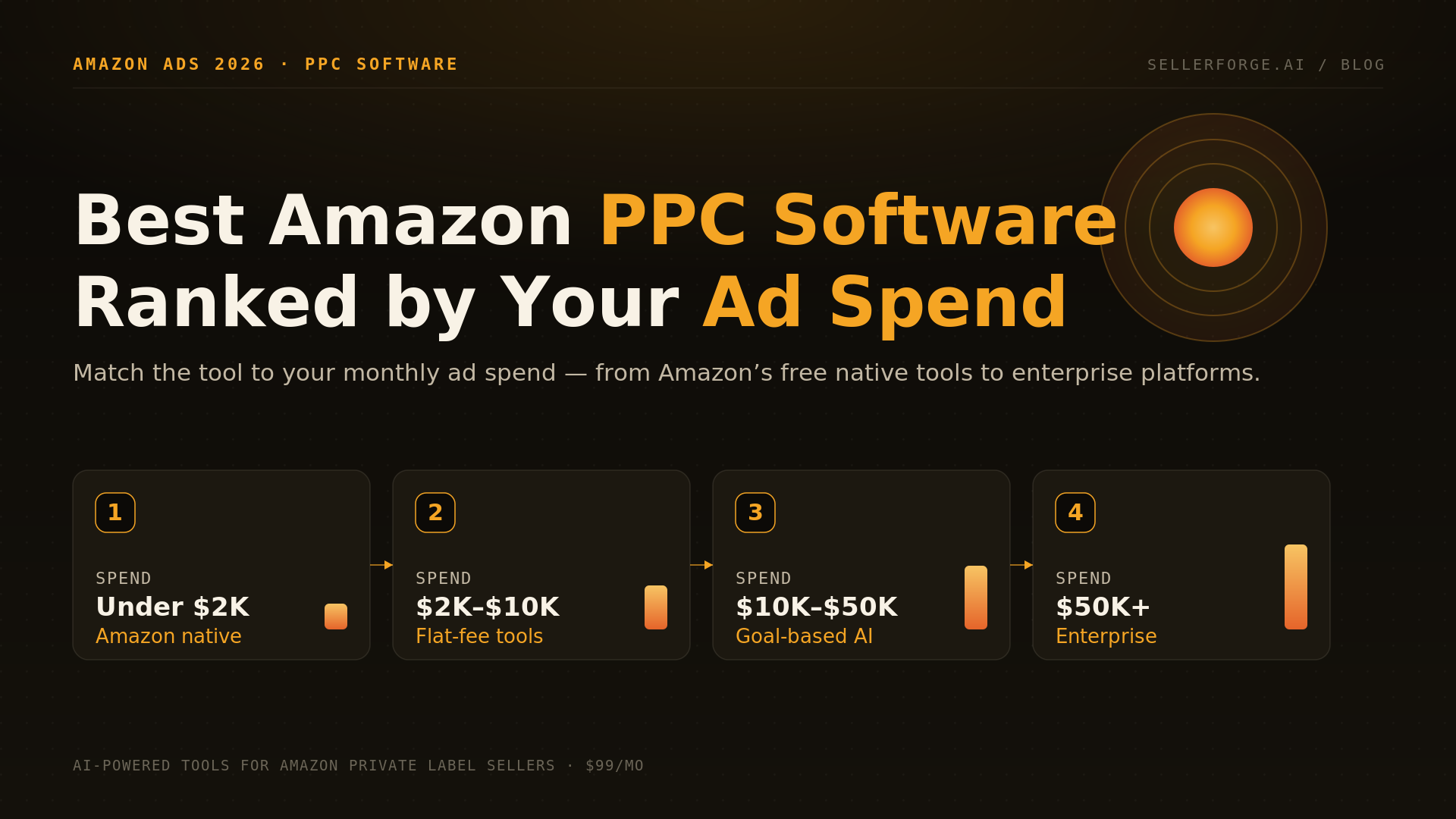
That is the honest test to put to any ads tool, native or third-party: does it know this ASIN's landed cost, and what happens to its bids when the product goes out of stock? We worked through which platforms actually read margin and inventory data in the 2026 buyer's guide to Amazon PPC software — including the four questions worth asking a vendor before you hand over bid control.
When should you scale, hold, fix, or cut?
Cross two axes — contribution margin (healthy versus thin) and the TACoS trend (improving versus deteriorating) — and every ASIN lands in one of four quadrants with a clear action. This is the decision the whole per-ASIN model exists to make.
- 1Healthy margin + falling TACoS → SCALE. Ads are compounding on a product that can afford them. Push budget; this is where growth dollars earn the most.
- 2Healthy margin + rising TACoS → HOLD & DIAGNOSE. The product earns, but ads are renting demand. Find the cause — a competitor entry, a listing slip, a stockout suppressing rank — before adding a dollar.
- 3Thin margin + falling TACoS → FIX THE MARGIN. The flywheel works but the unit barely pays. Re-source COGS, raise price, or cut a fee (re-check the size tier, attack the return rate, take the free placement split) before scaling.
- 4Thin margin + rising TACoS → CUT. You are funding a money-loser whose organic is not responding. Pull back to defensive spend or exit the ASIN.
This grid sorts products. Its sibling sorts campaigns: the TACoS Quadrant in ACoS vs TACoS and the metrics that actually matter crosses ACoS against break-even and the TACoS trend to separate scaling from organic decay, investment mode and outright leaks. Use that one inside a campaign and this one across the catalog.
How do you build the ceiling in 20 minutes?
You need one spreadsheet row per ASIN and about twenty minutes for your top ten products, which in most catalogs is 70–80% of the revenue. Run it in this order:
- 1Pull the last 90 days of per-ASIN sales, units, referral and fulfillment fees from your Seller Central payments reports — Transaction View, not the summary.
- 2Add 3.5% to every fulfillment fee dated on or after April 17, 2026, or confirm the surcharge line is already in the figure you pulled.
- 3Allocate storage on a blended annual rate rather than the current month, so Q4 does not ambush you: roughly $1.19 per cubic foot per month for standard size.
- 4Enter landed COGS — unit cost plus freight plus duty — per ASIN, and date it, because last year’s quote is not this year’s cost.
- 5Compute the returns provision from each ASIN’s own 90-day return rate and its category rate card; apparel and shoes pay on every return with no threshold.
- 6Divide contribution margin by sale price. That percentage is the ASIN’s break-even ACoS. Subtract the points you want to keep to get the target.
- 7Pull the same 90 days of ad spend and total sales per ASIN, compute TACoS for each of the last three months, and note the direction. Now every ASIN has a quadrant.
Do that once and you will find two things almost every time: at least one ASIN you have been scaling that is underwater on every ad-driven unit, and at least one you have been starving that could absorb twice the spend. Both are pure profit to fix, and neither is visible on an ACoS dashboard.
A worked example: two ASINs, one ACoS, opposite answers
Return to the twins from the top. Both ran a 27% ACoS last month.
ASIN A — a $39.99 kitchen tool with a 42% contribution margin before ads and a 9% TACoS that has fallen for two quarters. Its 27% ACoS sits well under its 42% ceiling, and the falling TACoS proves the spend is compounding into organic rank. Healthy margin, improving trend: scale it. This is where the next thousand ad dollars should go.
ASIN B — a $24.99 apparel accessory with a 22% return rate. Apparel and shoes pay the returns processing fee on every return with no threshold, which alone takes roughly $0.36 off each unit sold before the lost-unit cost; add the April fuel surcharge and its contribution margin is about 17%. Its 27% ACoS is above that 17% ceiling, so every ad-driven unit loses money, and a flat 21% TACoS says organic is not responding. Thin margin, deteriorating trend: fix the margin or cut — attack the return rate and sizing, or pull spend back to defensive.
Same 27% ACoS. Opposite businesses, opposite actions. A dashboard showing only ACoS told you they were the same product and would have had you treat them the same way. Worth noting: ASIN B's margin did not collapse because anyone made a bad decision — it collapsed because a fee schedule changed and nobody re-ran the model.
Why you cannot build this once and forget it
The math on any single ASIN is trivial. The difficulty is that every input moves constantly and the answer moves with them. Amazon restructured fulfillment fees in January, added the surcharge in April, and triples storage every October. Your supplier requotes. Your return rate drifts with a sizing complaint. A margin model built in January is simply wrong by Q4.
Worse, the two largest swing items lag the sale. Returns land weeks after the order and the December storage bill arrives long after the unit shipped — so a SKU that looks profitable today can be underwater once the return and the peak-season charge post. The fee mechanics are mapped in our 2026 FBA fee overhaul survival guide and the returns math in the returns-fee margin defense playbook; the cash-timing side, including how a peak storage bill lands against a DD+7 payout schedule, is in the DD+7 payout and cash-flow guide and the Q4 inventory and cash-flow plan. The point here is that doing this by hand, across a real catalog, every time an input moves, is the work almost nobody sustains. That is the gap.
Where SellerForge fits
The hard part is not understanding the model — it is keeping it live across a real catalog and turning it into a weekly decision instead of quarterly spreadsheet archaeology. That is what SellerForge automates, and it is worth saying plainly that this is our product, so weigh the section accordingly.
TACoS-first advertising that knows each ASIN's margin. The SellerForge Advertising module leads with TACoS, derives a target ACoS from each ASIN's real contribution margin rather than an account average, and flags which products to scale, hold, fix or cut — so your bids, or your AI bidder, are pointed at the right target in the first place.
The per-ASIN portfolio view, kept current. Custom Breakdowns build exactly the contribution-margin view this model needs — sliced by lifecycle stage, margin band or category — while Forecasting keeps landed cost, fees and velocity live, so when a surcharge or a supplier cost moves, the break-even ACoS moves with it. Log the change once on your Business Event Timeline and the AI correlates the margin swing to it instead of leaving you to guess.
If you would rather compare tools first, we published an honest roundup of the best Amazon profit-tracking software — including which ones carry real cost history and which stop at ad metrics. Agencies running this across a client book will want the client-reporting playbook, since TACoS and contribution margin are the two numbers that make a monthly report credible, and what Amazon agencies charge in 2026 if you are deciding whether that analysis layer is worth a retainer at all.
The bottom line
ACoS tells you whether a campaign is efficient. Contribution margin tells you whether the product is worth advertising at all. TACoS tells you whether your ads are building the business or renting it. Manage to only the first and you will optimize your way into stable, efficient, unprofitable campaigns. Compute the ceiling per ASIN, set the target under it, read the trend, and 'scale or cut' stops being a gut call and becomes a number you can point at — one that is accurate the week you look at it, not the week you built the spreadsheet.
If you would rather not rebuild a per-ASIN contribution-margin model by hand every time Amazon moves a fee, start a free SellerForge trial and connect your account. The Advertising and Custom Breakdowns modules build this view continuously — so next quarter's scaling decisions are a dashboard read, not a spreadsheet rebuild.
About the author
David Gallo is the founder of SellerForge.ai. He previously managed 57 Amazon accounts representing over $350M in sales at Worldfront before building SellerForge to give sellers AI-powered tools at agency quality without the agency price.