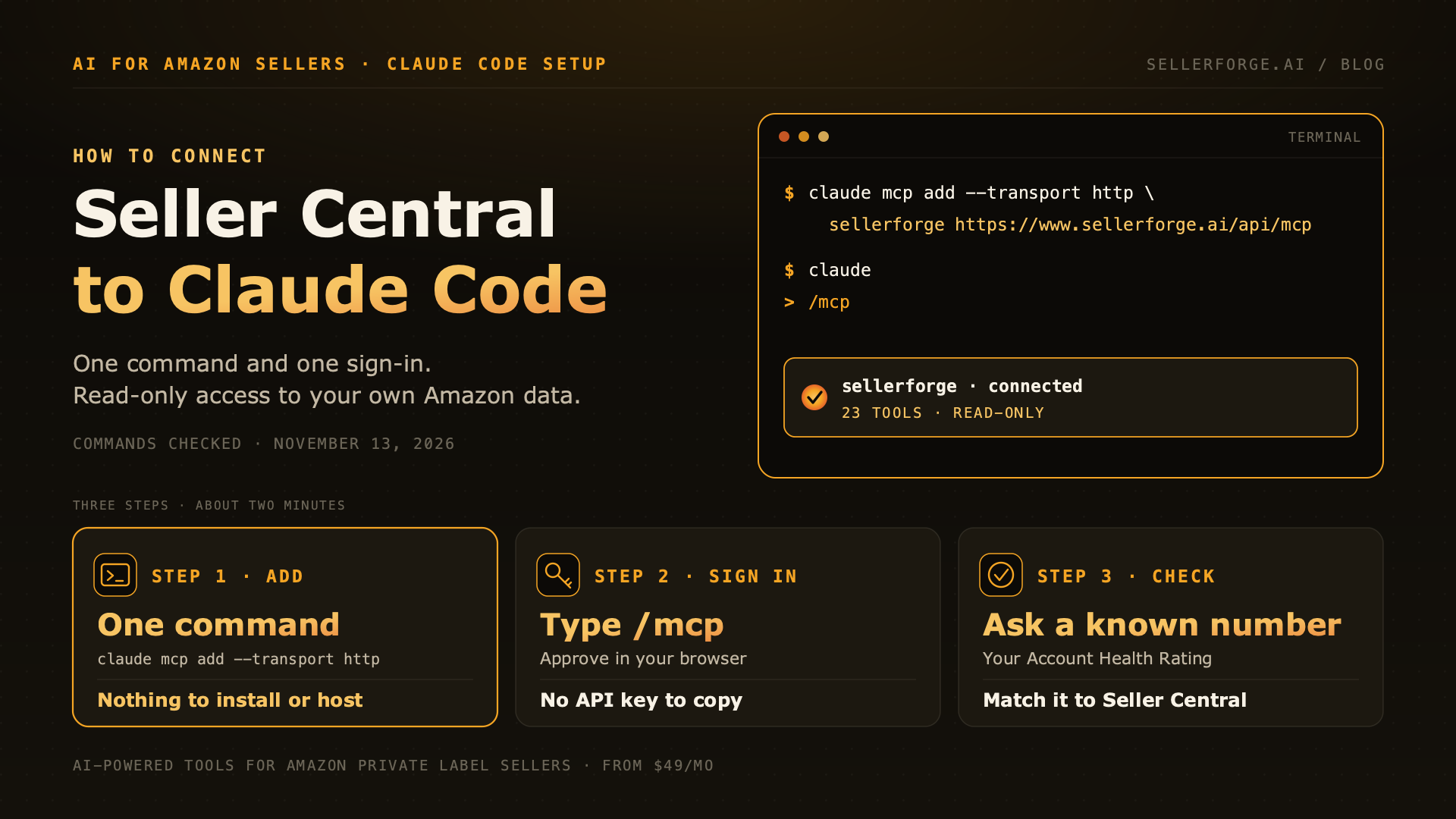
To connect Amazon Seller Central to Claude Code, run claude mcp add --transport http sellerforge https://www.sellerforge.ai/api/mcp, then type /mcp inside Claude Code and sign in. The connection is read-only. It needs a SellerForge account with Seller Central connected: the 7-day trial needs no credit card, and read access stays free afterwards while your Amazon account stays connected. Vendor Central and Amazon DSP are not covered.
Claude Code is Anthropic's coding agent for the terminal. On its own it knows nothing about your Amazon account. It reaches outside data through MCP servers, and Seller Central has no setting that turns one on. Something has to sit in between: a server that already holds a seller-approved Amazon connection and offers it to Claude Code as tools.
There are three ways to get that server. You can use a hosted connector, you can install Amazon's own Selling Partner connector where it is available, or you can run an open-source bridge against your own SP-API credentials. This guide walks the hosted route from start to finish with SellerForge's connector, then covers the other two and what to do about Vendor Central and Amazon DSP.
SellerForge is our product, so weigh the recommendation accordingly. The Claude Code commands below were checked against Anthropic's MCP documentation on November 13, 2026.
Source for the commands: Anthropic's Claude Code MCP documentation.
What You Need Before You Start
- Claude Code installed and signed in on your computer.
- A SellerForge account with your Seller Central account connected. New accounts start with a 7-day free trial and no credit card. You connect Amazon through Amazon's own authorization screen, so you never hand over a Seller Central password.
- About two minutes. There is nothing to install or host: the server runs at https://www.sellerforge.ai/api/mcp.
Step 1: Add the Server With One Command
Open a terminal and run:
claude mcp add --transport http sellerforge https://www.sellerforge.ai/api/mcpThe word sellerforge is only a local nickname, and you can pick another. Use http as the transport, not sse: the endpoint is a Streamable HTTP server.
Step 2: Sign In With /mcp
- 1Start Claude Code by running claude in any folder.
- 2Type /mcp and choose sellerforge from the list.
- 3Your browser opens a SellerForge sign-in page. Sign in and approve the connection.
- 4Return to the terminal. The server now shows as connected, with its tools listed.
There is no API key to copy. The sign-in uses OAuth, and Anthropic's documentation says Claude Code stores the tokens securely and refreshes them automatically, so you should not need to sign in again each session.
Step 3: Check It Against a Number You Already Know
Before you trust any answer, ask something you can verify in Seller Central: "What is my Account Health Rating, and what are my order defect and late shipment rates?" Compare the reply with your Account Health page. If the figures match, the connection is reading the right account.
Expect a short lag on the newest day. SellerForge answers from synced data, not a real-time feed. Paid plans sync daily. On the Free plan, SellerForge keeps the data it already synced while your account stays active.
Choose a Scope: One Project, Every Project or Your Team
By default Claude Code adds a server at local scope: it works for you, in the folder where you ran the command. Two flags change that.
| Scope | Command flag | Who gets it | Use it when |
|---|---|---|---|
| Local (default) | none | Only you, in the current project | You are trying the connection out |
| User | --scope user | Only you, in every project | You ask Amazon questions from many folders |
| Project | --scope project | Everyone who opens the project | A team or agency shares one working folder |
Project scope writes the server to a .mcp.json file in the project root, which you can commit. The file holds the server URL and nothing secret. Each teammate still signs in through /mcp with their own SellerForge login, and each connection returns only the data of the account that approved it.
What Claude Code Can Read Once Connected
On November 13, 2026 the connector listed 23 tools, and every one of them reads. The areas they cover:
| Area | What comes back | A question to try |
|---|---|---|
| Account health | Account Health Rating, order defect, late shipment and on-time delivery rates, policy violations | Is my account at risk, and which metric is closest to its limit? |
| Inventory | Current FBA and AWD quantities | How many units do I have in FBA and AWD right now? |
| Reimbursements | What Amazon already reimbursed, by category, plus possible discrepancies not yet verified | What has Amazon reimbursed me in the last 90 days, by reason? |
| Plans of Action | Your Plan of Action cases and escalation plans, with their statuses | Summarize my open Plan of Action cases and what is still pending. |
| Keywords | Tracked keywords with organic and sponsored rank, rank history and Search Query Performance | Which tracked keywords dropped in rank this month? |
| Listings | Listing audit scores and the lowest-scoring listings, with fixes | Which listings scored lowest in the latest audit, and why? |
| Ads campaigns | Amazon Ads campaigns and their settings, with recent spend where available | List my campaigns by recent spend and show each one's settings. |
| Sales and orders | Revenue, orders and units for recent completed days, up to 30 | How did units sold last week compare with the week before? |
The possible reimbursement discrepancies are counts and raw estimates, not confirmed money owed. Three reports need the Growth plan or above: Voice of Customer, AI visibility and the decision log.
The full tool list is in the public sellerforge-mcp repository, and Claude Code shows the current list under /mcp.
Why Claude Code Instead of the Claude App?
The Claude app answers in a chat window. Claude Code works inside a folder on your computer, so an answer can become a file you keep, compare week over week or hand to a teammate. Four requests that use that:
- "Save today's FBA and AWD inventory quantities to a dated CSV file so I can compare next week's numbers with it."
- "Summarize my open Plan of Action cases into poa-status.md, one section per case, with the last update date."
- "Take the ten lowest-scoring listings from the latest audit and write listing-fixes.md as a checklist, worst first."
- "Compare my tracked keyword ranks with their history and save a table of every keyword that fell more than five places."
Claude Code does the comparing in that last request itself, so spot-check a few rows against Seller Central before you act on them. Keep requests narrow as well. Anthropic's documentation says Claude Code warns when a tool's output passes 10,000 tokens and caps it at 25,000 by default, so ask for one month or one product line at a time, not a whole year of orders.
What the Connection Cannot Do
- It cannot change anything on Amazon. Every tool reads; none edits listings, prices, bids or budgets in Seller Central or Amazon Ads.
- It does not return profit or margin figures. No tool computes them.
- It does not cover Vendor Central or Amazon DSP. The connector is built around Seller Central and Sponsored Ads campaign data.
- It is not a real-time feed. Answers come from synced data, as described in step 3.
One boundary sits on your side. Claude Code itself can edit files and run commands on your computer, and by default it asks before it does either. Read-only describes the Amazon side of the connection, not everything the agent can do on your machine.
Vendor Central, Amazon DSP and the Other Routes
Connecting Amazon Vendor Central to Claude Code
Vendor Central is not a switch on a seller connector. Amazon's vendor APIs use their own roles and approvals, and SellerForge's connector does not include them. The options for vendors are laid out in connecting Amazon Vendor Central to Claude.
Connecting Amazon DSP to Claude Code
Amazon DSP runs through the Amazon Ads API, which has its own application and approval process. SellerForge's tools cover Sponsored Ads campaign data, not DSP. The route and its risks are in connecting Amazon DSP to Claude.
Amazon's Selling Partner Connector
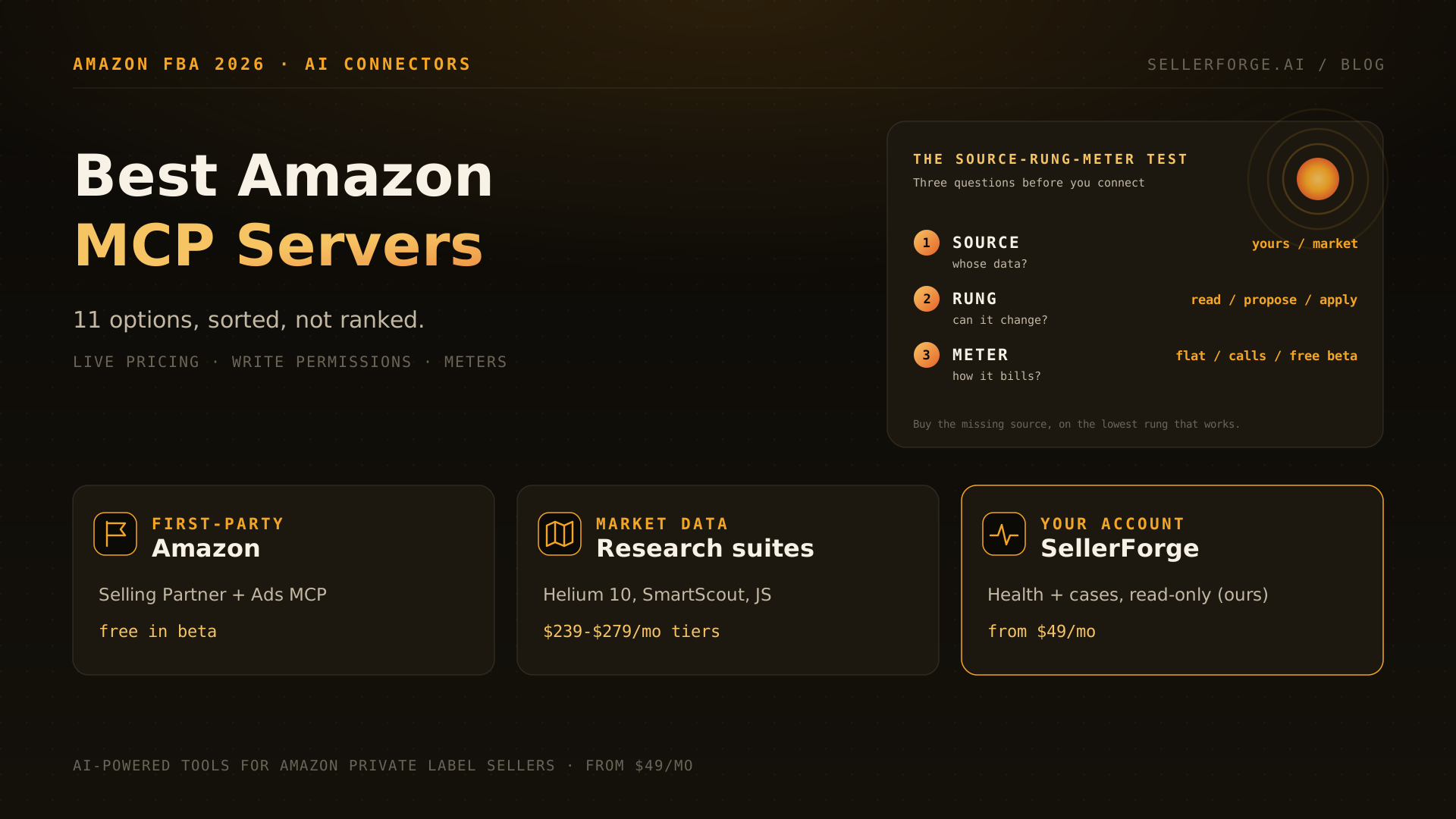
Amazon has a first-party option as well. When we last checked, on September 25, 2026, Anthropic's connector directory listed Amazon's Selling Partner connector in beta for sellers in Amazon's U.S. stores. It brings Seller Assistant's view of sales, inventory and listings into Claude and asks you to approve each action. We compare it with third-party connectors in the best Amazon MCP servers.
Self-Hosting an SP-API Bridge
You can also run an open-source MCP bridge against your own SP-API credentials and add it to Claude Code the same way. You then own token storage, reauthorization, rate limits and pagination. The repositories, and the point where a do-it-yourself build stops being worth it, are in the Claude for Amazon sellers guide.
Troubleshooting
| What you see | What to do |
|---|---|
| /mcp lists sellerforge but says it needs authentication | Select it and finish the browser sign-in. |
| Tools answer with no data | Check in SellerForge that your Seller Central account is connected and has finished syncing. |
| Claude Code warns that a tool's output is too large | Ask for a shorter date range or a single product. |
| You added the server with --transport sse | Remove it and add it again with --transport http. |
| A teammate sees the project's server but gets no data | They have not signed in yet. Each person runs /mcp once. |
How to Disconnect
Run claude mcp logout sellerforge, then claude mcp remove sellerforge. Anthropic's documentation notes that removing a server deletes the stored tokens without revoking them, which is why logout comes first. You can also revoke the client from the SellerForge side in Settings → Connections.
Which Route Should You Pick?
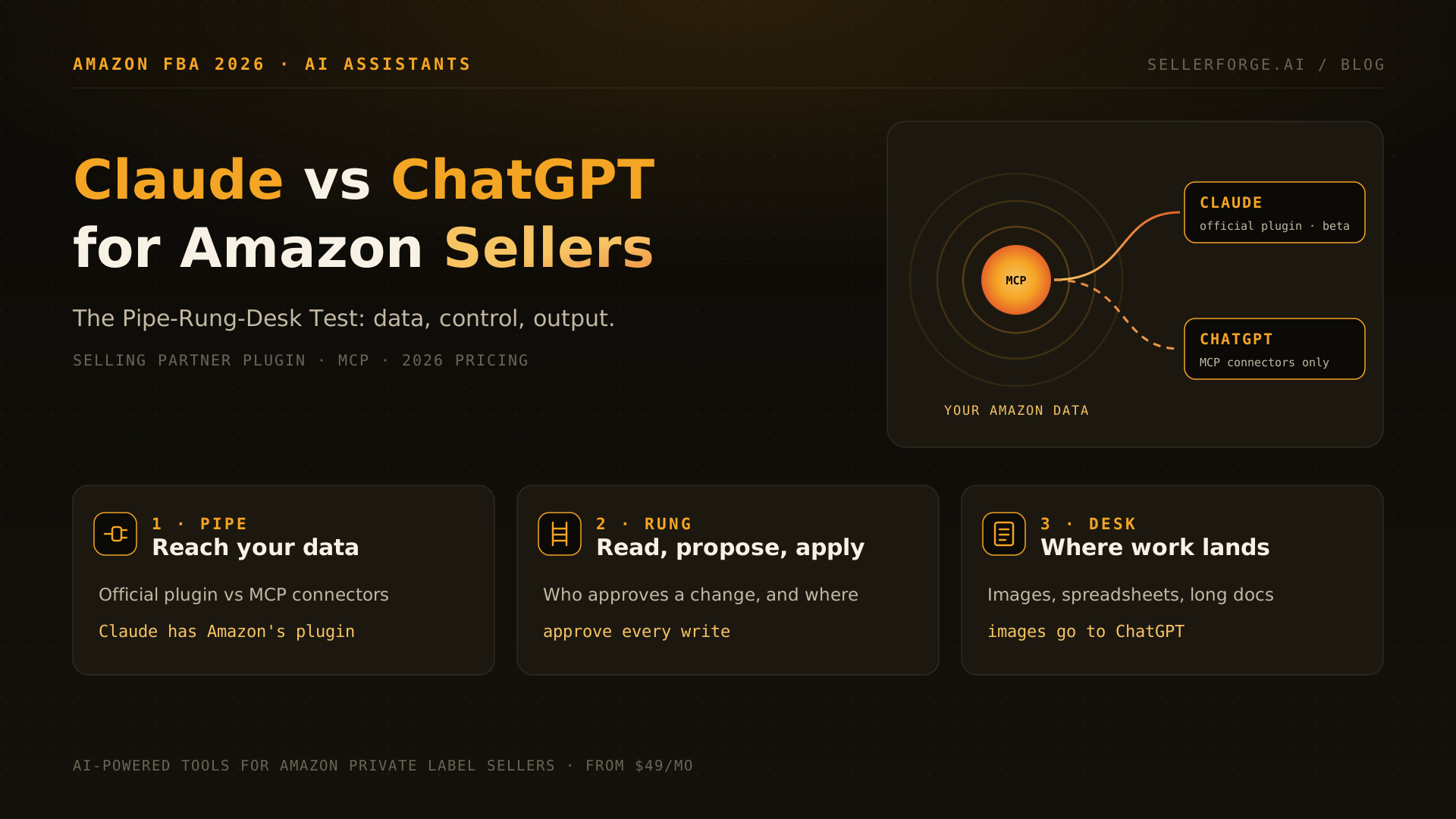
If you sell through Seller Central and want answers today, the hosted route is the fastest: one command and one sign-in. If you are in Amazon's U.S. beta and want Amazon's own view, try the Selling Partner connector. If you need Vendor Central, DSP or full control of the data, plan for a build and read the stop-lines first.
Connecting from the Claude app, ChatGPT or VS Code instead? The steps for each are in the Amazon Seller Central MCP guide. Still choosing an assistant? See Claude vs ChatGPT for Amazon sellers.