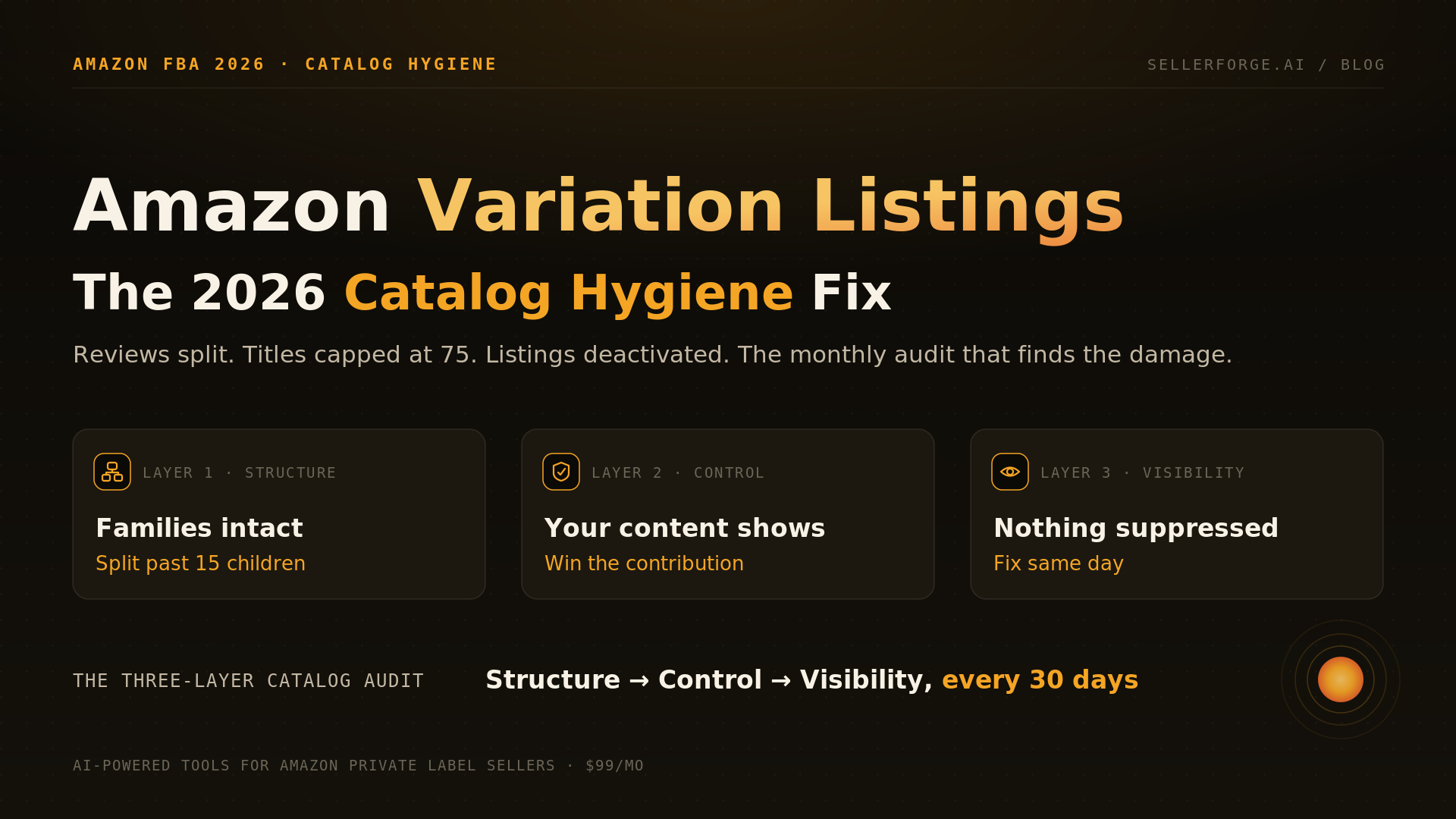
An Amazon variation listing groups buyable child ASINs under one non-buyable parent so shoppers pick options on a single detail page. In 2026 the rules changed underneath it: reviews stopped pooling across functionally different variants (February 12–May 31), an ASIN-policy enforcement wave began issuing 30-day deactivation notices, and titles were capped at 75 characters on July 27. The fix is the monthly Three-Layer Catalog Audit — structure, control, visibility — and SellerForge (our product, disclosed) runs the audit layer from $49/month.
The fastest listing-optimization win of 2026 is not a better title or a prettier A+ module. It is fixing the catalog plumbing underneath: variation families that quietly broke, detail-page fields you no longer control, and listings that dropped out of search without telling you. Catalog hygiene is a sales problem wearing a housekeeping costume — and this year Amazon changed the rules three separate times.
Across the 57 accounts I managed at Worldfront, the most common "our sales died and ads look fine" ticket was not advertising at all. It was a broken variation family or a silently suppressed listing — usually self-inflicted by a partial flat-file upload weeks earlier. Nobody noticed because catalog damage does not send an alert. You have to go looking for it.
What Is a Parent-Child Variation on Amazon?
A parent-child variation groups multiple buyable products (child ASINs) under one non-buyable container (the parent ASIN) connected by a variation theme — size, color, count, flavor. Shoppers land on a single detail page and switch between children with the selector; each child keeps its own price, inventory, offers, and sales history. Done right, a family concentrates traffic, sessions, and (for cosmetic variants) reviews onto one strong page instead of scattering them across five weak ones.
The mechanics matter because they are where families break. The parent is a data object, not a product: it holds the theme and the relationship records. Children attach to it through parentage fields — in a category inventory file, that is the parent SKU, the relationship type, and the theme columns. Upload a flat file that touches those columns with blank values in a partial update, and Amazon reads the blanks as instructions. The family detaches, the detail page fragments, and every child starts competing against its own siblings in search.
What Changed in Amazon's Catalog Rules in 2026?
Three changes rewrote variation economics in 2026: reviews stopped pooling across functionally different variants (announced January 7, rolled out February 12 through May 31), Amazon began enforcing its ASIN Creation Policy at unprecedented scale with 30-day deactivation notices (from May 21), and titles were capped at 75 characters in every category except media (July 27), with over-length titles rewritten by Amazon's AI. Two quieter schema updates (January 26 and June 29) changed valid attribute values across many product types.
| Change | Effective | What it does |
|---|---|---|
| Review-sharing split | Announced Jan 7, 2026; rolled out Feb 12 – May 31, 2026 | Reviews no longer pool across variations with significant functional differences (pack count, capacity, model). Cosmetic variants (color, pattern) still share. Functionally distinct children show only their own reviews. |
| Product-type attribute updates | Jan 26 and Jun 29, 2026 | Amazon updated attribute usage and enumeration values across numerous product types (per the SP-API changelog). Stale flat-file templates uploaded against migrated schemas can drop attributes or detach children. |
| ASIN Creation Policy enforcement wave | From May 21, 2026 | Amazon began enforcing ASIN-creation rules at scale; flagged listings receive deactivation notices with a 30-day window to fix or lose the listing. |
| Brand-assigned role required to create ASINs | From Jun 1, 2026 | Only accounts holding a role assigned by the brand in Brand Registry may create new ASINs for an enrolled brand, now explicitly including vendors. Sellers without the role, a Letter of Authorization or brand invoices have seen long-standing ASINs deactivated. |
| 75-character title cap + Item Highlights | Jul 27, 2026 | Titles in all categories except media capped at 75 characters. A new indexed Item Highlights attribute adds 125 characters. Over-length titles are gradually replaced with Amazon AI recommendations through 2026; brand owners get 14 days to review them in Review Listing Changes. Amazon describes no review window for other sellers. |
Do Amazon Variations Share Reviews Anymore?
Only cosmetic ones. Since the February–May 2026 rollout, a variation family's reviews pool across children that differ cosmetically — color, pattern, style — but not across children with significant functional differences: a 2-pack versus a 10-pack, a 20 oz versus a 40 oz, an older model versus a newer one. Each functionally distinct child now displays only the reviews written for it. The launch play of attaching a new variant to a reviewed parent for instant social proof is dead for functional variants.
The enforcement side has teeth. Amazon classifies deliberately maintaining groupings that violate the review variation policy as catalog abuse — a conduct violation under the Seller Code of Conduct, the same policy family as review manipulation. The escalation path runs from review removal to variation flags to delisting, with roughly 30 days' notice. And the May 21 ASIN Creation Policy wave shows Amazon is now willing to enforce catalog rules at a scale sellers had not seen before: forum threads that month filled with 30-day deactivation notices on listings that had sat non-compliant for years.
Should You Split or Merge Your Variation Families?
Merge when children are true cosmetic variations of one product and the family is small enough to browse; split when children differ functionally, when the selector has grown past roughly 15 children, or when one attribute buries another. The review-split policy removed the biggest historical reason to force-merge — pooled social proof — so the 2026 decision is about shopper experience and policy risk, not review arithmetic.
| Signal | Keep one family | Split into separate parents |
|---|---|---|
| What differs between children | Color, pattern, style only | Pack count, capacity, model generation, added features |
| Family size | Under ~15 children | Over ~15 (mobile selector degrades; conversion on the selector drops sharply past ~25) |
| Review behavior since May 2026 | Cosmetic variants still pool reviews | Functional variants show only their own reviews — merging buys you nothing |
| Policy exposure | True variations under a valid theme | Anything a reasonable shopper would call a different product (catalog-abuse risk) |
| Search strategy | One strong page consolidating traffic | Distinct queries per variant that deserve their own optimized pages |
Two numbers to hold onto: the technical ceiling is about 2,000 children per parent, and the practitioner consensus is to stay under 248 — but the operating number is 15. Above 15 children the mobile selector turns into a scroll wall. At Worldfront we split a 40-child kitchenware mega-parent into three parents by size class; the three pages each ranked for their own query set within two months, and the combined sessions beat the old mega-parent because shoppers stopped bouncing off the selector. The mega-parent was tidy in a spreadsheet and hostile on a phone screen.
Splitting or merging is flat-file surgery: define the new parents, re-point the parentage columns child by child, and upload as a FULL update — never a partial. Do it in one pass, verify the family renders, and save the file. The file is your rollback plan.
Why Can't I Edit My Amazon Listing?
Because on shared catalog pages, Amazon — not you — decides whose data displays. Every attribute on a detail page is assembled from contributions: yours, other sellers', vendor feeds, Amazon Retail, sometimes another marketplace's catalog. Amazon's system selects a winning contributor per field. When your edit saves in Seller Central but never appears on the page, you lost the contribution contest for that field. It is the most misdiagnosed problem in catalog work, because the interface reports success while the page ignores you.
- 1Confirm the ASIN is actually linked to your brand: Brand Dashboard → Brand Catalog Manager. An unlinked ASIN gets none of Brand Registry's contribution weight.
- 2Submit the correction through the Fix a Listing tool rather than the plain edit page — it routes through brand-owner correction flows.
- 3If a vendor feed or Amazon Retail is overriding you, open a Brand Registry support case naming the attribute, your value, and the displayed value, with evidence you are the brand owner.
- 4If content from another marketplace (say, amazon.co.uk) is bleeding onto your US page, say exactly that in the case — cross-marketplace overrides are a known failure class with a specific escalation path.
- 5For chronic flip-backs, ask Seller Support about a listing lock on the contested attributes so accepted values stop reverting.
The July 27 title change raised the stakes on control. Titles over 75 characters are being rewritten by Amazon's AI — gradually, without seller action. Brand owners get a 14-day window to review, modify and approve the recommendations in Review Listing Changes; Amazon describes no such window for sellers who are not the brand owner, so assume the rewrite simply lands. If you are not watching, your hero ASIN's title is whatever the model decided. Rewrite over-length titles yourself, move overflow into the indexed 125-character Item Highlights field, and check Review Listing Changes weekly.
How Do You Find and Fix Search-Suppressed Listings?
Search-suppressed listings live in Seller Central under Manage All Inventory → Search Suppressed and Inactive Listings; the Fix your products page lists each one with the failing field highlighted and the specific issue named. A suppressed listing stays reachable by direct URL — which is why sellers miss it — but it is invisible in Amazon search, and for most products search is where nearly all sessions originate.
The common triggers map almost perfectly onto this year's rule changes: a missing or non-compliant main image, a title over the new cap, a missing product type, required attributes emptied by a schema migration, or a category-level policy conflict. That last mechanism is the sneaky one — the January 26 and June 29 attribute updates changed which values are valid in many product types, so a flat file that was compliant in December can suppress a listing in July. Download the Suppressed Listings report monthly and treat any non-zero count as a fire.
The Three-Layer Catalog Audit
The Three-Layer Catalog Audit is a monthly, 30–45 minute pass through the three places catalogs decay: Structure (are my families intact and correctly built?), Control (is my content actually displaying?), and Visibility (is everything in search?). The order matters — structure problems masquerade as control problems, and control problems masquerade as visibility problems, so you audit bottom-up from the data model.
- 1STRUCTURE — Pull your catalog and list every parent with its children. Flag orphaned children (parentage detached), families over 15 children, and any family whose children differ functionally (pack count, capacity, model) — those are review-split and catalog-abuse exposure. Check each child's variation theme attribute (or ask Seller Assistant which variations still share reviews), then decide split or merge per the table above.
- 2STRUCTURE — Check the SP-API changelog or Seller Central announcements for product-type schema updates touching your categories since your last full flat-file upload. If your template predates a migration, download a fresh one before your next upload.
- 3CONTROL — Spot-check your top 10 ASINs: does the live detail page show your current title, bullets, and images? Any field where the page disagrees with Seller Central goes into the contribution flow (Brand Catalog Manager → Fix a Listing → support case).
- 4CONTROL — Open Review Listing Changes and disposition every pending AI rewrite and third-party change. Fourteen days is the whole window for brand owners, and Amazon describes none for anyone else.
- 5VISIBILITY — Open Search Suppressed and Inactive Listings, download the report, and fix every flagged field the same day. Suppression compounds daily; it is never a next-sprint item.
- 6LOG — Record every split, merge, fix, and rewrite with its date. Next month's audit starts from this log, and your sales analysis depends on it.
Cadence rule: the audit is monthly, but two triggers pull it forward — any flat-file upload touching parentage, and any Amazon announcement naming your categories. Both at Worldfront and since, every catalog disaster I have seen traces back to one of those two events happening between audits.
Where SellerForge Fits (and Where It Does Not)
Who Should Run What
- Under 20 SKUs: run the Three-Layer Audit by hand monthly — it will take 20 minutes and the habit is worth more than any tool at this scale.
- Growing private label (20–200 SKUs): software-assisted. Family complexity, schema migrations, and AI title rewrites now outrun a manual check, and one missed suppression on a hero ASIN pays for a year of tooling. This is the SellerForge lane.
- Large multi-marketplace catalogs: hybrid — feed-management tooling for bulk structure, plus a monthly audit layer so structure changes never ship unreviewed.
- Agencies: make the audit a monthly client deliverable. A catalog-health line item with found-and-fixed suppressions is the cheapest retention insurance in the business, and the Agency tier runs it across every account.
About the author
David Gallo is the founder of SellerForge.AI. Before building it, he managed 57 Amazon seller accounts representing more than $350M in sales at Worldfront, where a broken variation family was treated as a sev-1 incident and every flat-file upload came with a rollback file. He writes the SellerForge blog for operators, not affiliates.