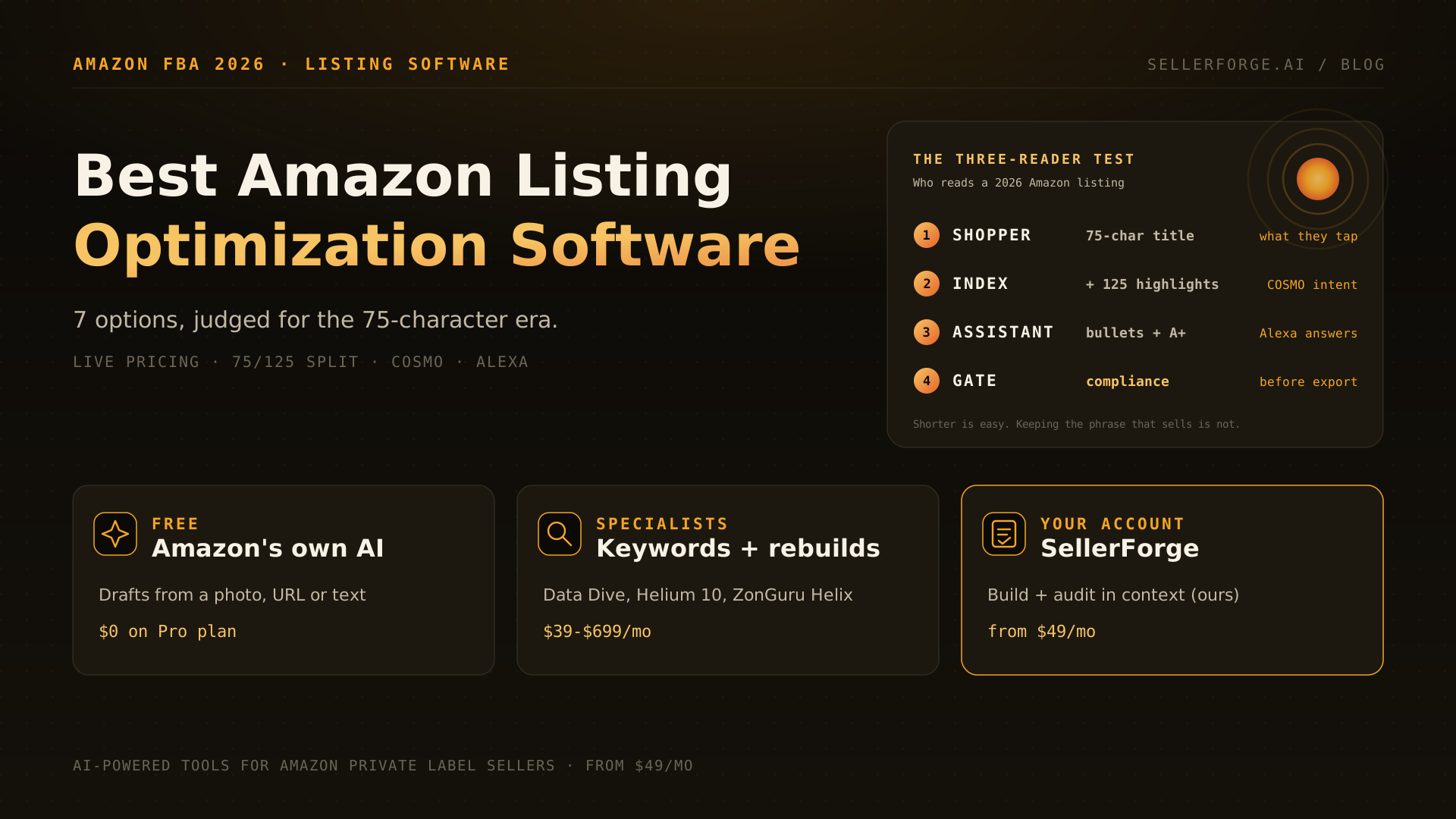
The best Amazon keyword research tool depends on the job: Amazon's free Search Query Performance for your own query funnel, Data Dive ($39 a month) for building a listing from competitor keywords, and Helium 10 ($129) or SellerSprite ($39) for high-volume reverse-ASIN research. Buy a paid tool only for what the free layer cannot show. SellerForge (ours, from $49) adds intent-tagged research and rank tracking tied to your account.
The best Amazon keyword research tool depends on which keyword question you are trying to answer. Amazon's free Search Query Performance dashboard is the most accurate source for your own listings, Data Dive is the strongest paid tool for building a listing from competitor keywords, and Helium 10 or SellerSprite fit sellers who run reverse-ASIN searches every day.
Most pages ranking for this query are written by a vendor that ranks its own tool first, and the two biggest ones never mention Amazon's own keyword data. I priced seven options live on November 27, 2026, and sorted them by job. SellerForge is our product, so I disclose it where it appears and say plainly where it is not the answer.
What Is the Best Amazon Keyword Research Tool in 2026?
There is no single best Amazon keyword research tool, because keyword research is three jobs: measuring what shoppers did on your listings, finding what competitors rank for, and estimating demand before you launch. Amazon's free dashboards do the first job best. Paid tools only do the second and third, so buy one for those jobs alone.
That framing matters because it changes what you pay for. A brand with 40 established ASINs and no launches planned needs very different software from a seller validating three new products this quarter. Across the 57 accounts I managed at Worldfront, the expensive keyword subscriptions that went unused almost always belonged to established brands that had stopped launching but kept paying for launch-stage research.
- Your own funnel (what happened on your listings): Amazon Search Query Performance, free.
- Competitor keywords (what rivals rank for): reverse-ASIN tools such as Helium 10 Cerebro, Data Dive, SellerSprite and SmartScout.
- Pre-launch demand (what shoppers search before you sell): seed-keyword tools such as Helium 10 Magnet and Jungle Scout Keyword Scout, plus Top Search Terms.
- Turning keywords into a listing: Data Dive's Master Keyword List or a listing builder, covered in our listing software roundup.
The Measured, Bought, Modeled Stack: How to Judge Any Keyword Tool
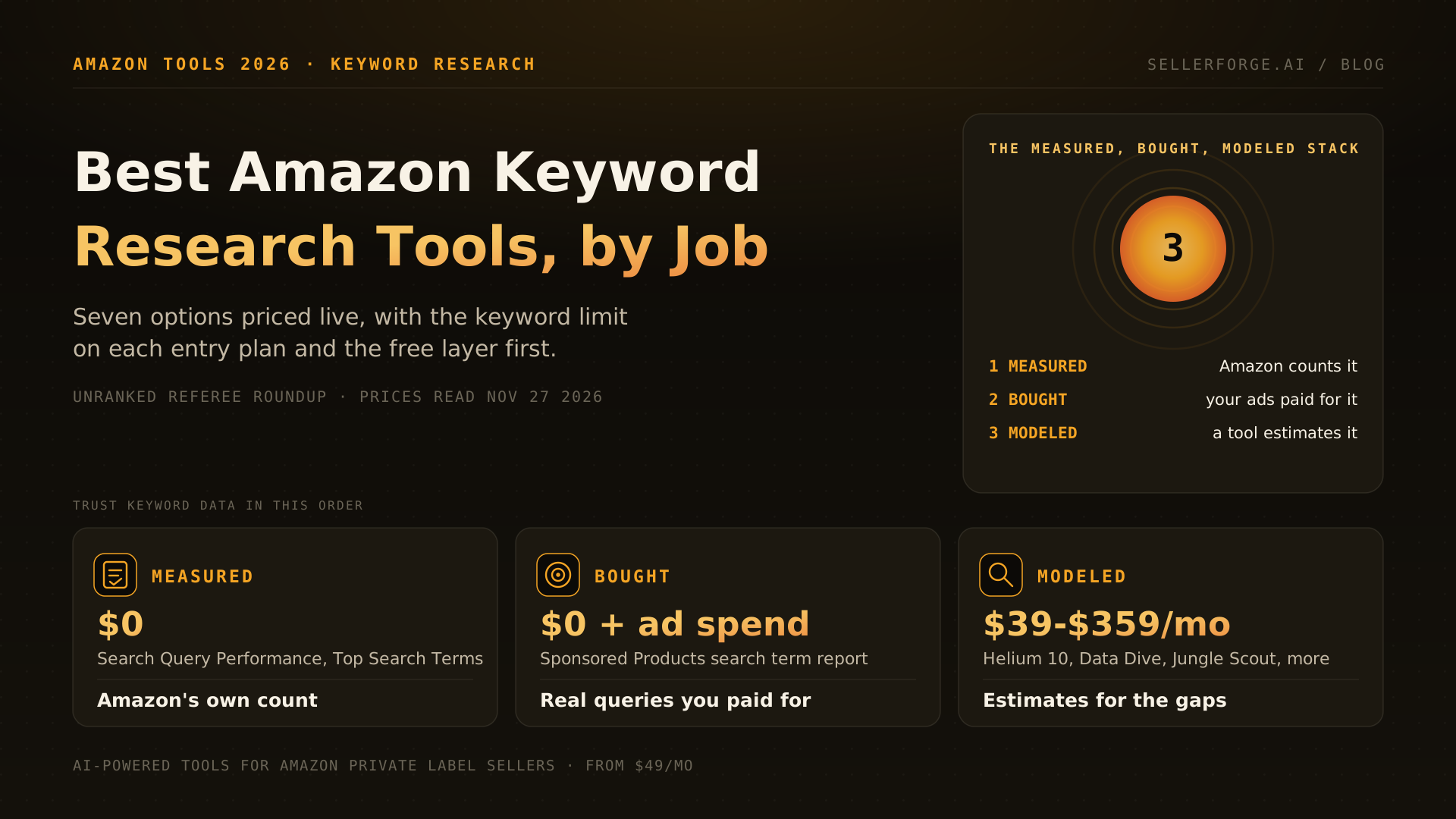
The Measured, Bought, Modeled stack sorts every keyword number by where it came from. Measured data is Amazon's own count of shopper behavior. Bought data is the real queries your ads paid for. Modeled data is a tool's estimate. Trust them in that order, and pay a tool only for the modeled layer.
- 1Start with MEASURED data. Open Brand Analytics and pull Search Query Performance for your top ASINs. These are the queries that already reach you, with impressions, clicks, cart adds and purchases that Amazon counted itself.
- 2Add BOUGHT data. Download the Sponsored Products search term report from Amazon Ads. Every row is a real query a shopper typed that triggered your ad, with spend and sales. Auto campaigns turn this into a free discovery engine.
- 3Only then buy MODELED data. Use a paid tool for the questions the first two layers cannot answer: which keywords a competitor ranks for that you do not, and how much demand a keyword has before you sell into it.
- 4Reconcile before you act. When a tool says a keyword has big volume but your SQP shows few impressions for it, you have found a listing gap, not a tool error. When SQP shows strong purchases on a query no tool flagged, protect that query in your title and bullets.
The Measured, Bought, Modeled rule: never let an estimate overrule a measurement. Third-party search volume is a model, Amazon's own dashboards are a count. Use estimates to rank keywords against each other, never to argue with what Search Query Performance already shows.
This is also the honest answer to the accuracy question. Amazon does not hand keyword volumes to third-party tools, so every paid tool estimates them from rank, sales and panel signals, and two tools will often disagree on the same keyword by a wide margin. That is fine for prioritizing. It is a mistake for forecasting.
Amazon Keyword Research Tools Compared (Prices Read November 27, 2026)
Prices below were read on each vendor's live pricing page on November 27, 2026. Monthly price comes first, the yearly-billed monthly equivalent second. The column that matters most is the keyword limit, because the entry plan of most tools is capped exactly where heavy keyword users need more.
| Tool | Best keyword job | Entry price (monthly / yearly-billed) | Keyword limit that matters | The honest catch |
|---|---|---|---|---|
| Amazon Brand Analytics (SQP + Top Search Terms) | Your own query funnel; category demand | Free with Professional plan ($39.99/mo) + Brand Registry | Brand Analytics data usually goes back about three years | Shows only queries that reached your products; no competitor reverse ASIN |
| Amazon Ads search term report | Real queries your ads paid for | Free with any Sponsored Products campaign | Limited to queries your ads served on | You pay for the discovery in ad spend |
| Helium 10 (Cerebro + Magnet) | Deep reverse-ASIN and seed research inside a full suite | Platinum $129 / $99; Diamond $359 / $279 | Platinum lists 100 competitor keyword searches a month | Heavy users end up on Diamond; Keyword Tracker is an add-on from $19 |
| Data Dive | Building one listing from a competitor keyword set | Starter $39 / $32; Standard $149 / $124 | Starter: 100 dive ASINs, 15 competitors per dive, 25 tracked keywords | Narrow by design; not a product research suite |
| Jungle Scout Keyword Scout | Pre-launch demand inside product research | Starter $49 / $29; Growth Accelerator $79 / $49 | Starter: 50 Keyword Scout searches a month, no rank tracker | No free trial (7-day money-back guarantee) |
| SmartScout | Keyword maps across a whole category | Basic $49 / $29; Essentials $119 / $99 | Basic: keyword research on 5,000 ASINs a month; unlimited from Essentials | Keyword-level data and tracking start on Essentials |
| SellerSprite | High-volume reverse ASIN on a budget | Basic $39 / $390 a year | Keyword research and reverse ASIN listed as unlimited (no daily cap) | No keyword tracker on Basic monthly (250 keywords on Basic annual) |
| SellerForge Core (ours) | Intent-tagged research and rank tracking tied to your account | $49 a month | Keyword research and rank tracking included on Core | Not a search-volume database; use a specialist for raw volume |
Sources: Helium 10 pricing, Data Dive pricing, Jungle Scout Catalyst plans, SmartScout pricing and SellerSprite pricing, all read November 27, 2026. Helium 10 was running a Black Friday offer of 35% off Diamond for six months on that date, so check the page before you buy.
Is There a Free Amazon Keyword Research Tool?
Yes, and the best free Amazon keyword research tool is Amazon's own. Brand-registered sellers on the Professional plan get Brand Analytics at no extra cost, including Search Query Performance and Top Search Terms. Any advertiser gets the Sponsored Products search term report. Neither shows competitors' keywords, but both are counts, not estimates.
Per Amazon's Brand Analytics guide (October 20, 2026), access needs a Professional selling plan at $39.99 a month plus the Brand Representative role in Brand Registry. Search Query Performance shows query volume, impressions, clicks, cart adds and purchases, with your brand's share of each, in Brand or ASIN view. Top Search Terms shows the search frequency rank for terms across the store, plus the top three clicked products with their click share and conversion share. Amazon says Brand Analytics data usually goes back three years and is generally available within three days.
- Search Query Performance: your own funnel per query. Use it to find queries where you get impressions but lose the click, and queries where you win clicks but lose the cart add.
- Top Search Terms: category demand and who wins it. The top three clicked products per term tell you who your real search competitors are, which is the input every reverse-ASIN tool needs.
- Search Catalog Performance: the same funnel by ASIN, useful for spotting which listing leaks.
- Sponsored Products search term report: real queries, real spend, real sales. Run a low-bid auto campaign on a new listing and it becomes your cheapest discovery tool.
- Amazon search bar autocomplete: free for everyone, and the closest thing to what shoppers type right now.
The free layer has two real gaps. It only shows queries that already reached your products, so it is silent before launch. And it cannot list the keywords a competitor ranks for that you do not. Those two gaps are what the paid tools sell.
Which Paid Keyword Tool Fits Which Seller?
Pick a paid keyword tool by the gap the free layer leaves you, not by the longest feature list. Launch-heavy sellers need pre-launch demand estimates. Listing rebuilders need a competitor keyword set. High-volume researchers need cheap unlimited reverse ASIN. Established brands may need nothing beyond Brand Analytics and their ads report.
Helium 10: the deepest suite, priced like one
Helium 10's Cerebro (reverse ASIN) and Magnet (seed keywords) remain the reference tools most operators learned on, and the suite adds listing, ads and operations tools behind one login. The catch is the plan structure: Platinum costs $129 a month ($99 billed yearly) and lists 100 competitor keyword searches a month, so sellers who live in Cerebro usually end up on Diamond at $359 ($279 yearly). If you already pay for Helium 10 and use five or more of its tools, keep it. Our Helium 10 alternatives guide covers what to do if you use two.
Data Dive: the listing-build specialist
Data Dive turns a chosen set of competitor ASINs into a Master Keyword List, scored by how many of those competitors rank for each term, and pushes it into a listing. Starter costs $39 a month ($32 yearly) with 100 dive ASINs, 15 competitors per dive and 25 Rank Radar keywords; Standard at $149 raises that to 1,000 dive ASINs and 1,000 tracked keywords. It is narrow on purpose. If keyword architecture for listings is the job, it does more per dollar than any suite.
Jungle Scout Keyword Scout: demand research next to product research
Keyword Scout earns its place when keyword work is part of choosing products. Starter costs $49 a month ($29 yearly) but caps Keyword Scout at 50 searches a month and includes no rank tracker; Growth Accelerator at $79 ($49 yearly) gives 250 searches and 500 tracked keywords, and Brand Owner at $149 tracks 5,000. Jungle Scout offers no free trial, only a 7-day money-back guarantee. For the head-to-head, see Jungle Scout vs Helium 10.
SmartScout: keyword maps for a whole category
SmartScout approaches keywords from the market down: its Search Terms Explorer and Rank Maker map which brands and products own the traffic in a category. Basic costs $49 a month ($29 yearly) and covers keyword research on 5,000 ASINs a month; Essentials at $119 ($99 yearly) unlocks keyword-level data and unlimited keyword research and tracking. It suits agencies and category planners more than single-listing work. The full comparison is in SmartScout vs Jungle Scout.
SellerSprite: volume on a budget
SellerSprite is the cheapest way to run a lot of reverse-ASIN searches. Basic costs $39 a month or $390 a year and lists keyword research and reverse ASIN as unlimited, which its pricing page defines as no daily cap, with a free three-day trial of the monthly plan. The trade-off: Basic on monthly billing includes no keyword tracker (Standard at $79 includes 500 keywords), and its interface is built for researchers who already know what they are looking for.
Who Should Pick What: Keyword Tools by Seller Type
The right keyword stack for most sellers is one free layer plus at most one paid tool. Two paid keyword tools only make sense for agencies and brands launching several products a quarter. Here is how I would match the stack to the seller, based on which gap the free layer leaves open.
| Seller | Free layer | Paid tool, if any | Why |
|---|---|---|---|
| Established brand, few launches | SQP + Top Search Terms + ads search term report | None, or Data Dive Starter during a listing rebuild | Measured data already covers your own queries |
| Launch-heavy private label | Top Search Terms + autocomplete | Jungle Scout Growth Accelerator or Helium 10 Platinum | You need demand estimates before any sales exist |
| Listing rebuilder | SQP to find leaking queries | Data Dive Starter or Standard | Competitor keyword set feeds the listing directly |
| High-volume researcher or wholesale | Autocomplete | SellerSprite Basic or Helium 10 Diamond | Unlimited or high-cap reverse ASIN |
| Agency running many brands | Each client's SQP | SmartScout Essentials or Data Dive Standard (10 seats) | Category maps and shared seats across clients |
| Not brand registered yet | Ads search term report + autocomplete | One entry plan for 1 to 3 months | No Brand Analytics until Brand Registry |
| Seller who wants keywords tied to account health and reporting | SQP | SellerForge Core (ours) | Intent-tagged research feeding audits, rank tracking and weekly reports |
One judgment call from experience: when two tools disagree on a keyword's volume, do not buy a third tool to break the tie. Put the keyword in a low-bid exact-match campaign for two weeks. The search term report will tell you more than any estimate.
How Do You Do Amazon Keyword Research Step by Step?
Amazon keyword research works best as a short loop: harvest real queries, add competitor keywords, tier them by intent, place them by field rules, then verify against measured data. The loop takes an afternoon for one listing and should repeat each quarter, because shoppers invent new phrasings and Search Query Performance surfaces them.
- 1Harvest measured queries: export 90 days of Search Query Performance for the ASIN and your ads search term report. Mark queries with purchases.
- 2Pick the right competitor set: take the top three clicked products from Top Search Terms for your main query, plus two or three direct rivals. A wrong competitor set ruins every keyword list built on it.
- 3Run reverse ASIN on that set with one paid tool, and keep terms that at least a third of the set ranks for.
- 4Tier by intent: one primary term for the title, supporting terms for bullets, synonyms and misspellings for backend search terms.
- 5Place by field rules: titles now have a 75-character cap in many categories, and backend search terms are limited to 249 bytes.
- 6Verify within two weeks: check SQP impressions for the new terms and track rank for the primary term.
The full method behind steps 4 and 5, including how intent now matters as much as exact match, is in our Amazon keyword strategy for COSMO and Rufus guide. If the keyword work is part of a full listing rebuild, our best Amazon listing optimization software roundup compares the tools that write the listing, not just the ones that find the words.
Where SellerForge Fits (Disclosure: It Is Ours)
SellerForge is not a search-volume database, and if raw keyword volume is the job, Helium 10, Data Dive or SellerSprite will serve you better. Where it fits is the layer around keywords: research tied to the account you already run, tagged by shopper intent and fed straight into listing audits, rank tracking and weekly reporting.
Keyword Intelligence takes a competitor ASIN and returns the keywords it ranks for, tagged by shopper intent with click-share and purchase-share context, and sends them to Listing Builder or Listing Audit in one click. Rank tracking covers organic and sponsored position per keyword per ASIN, starts when you begin tracking and never back-fills a made-up history. Significant rank moves log to the Business Event Timeline and appear in the Weekly Business Report. Estimated competitor data is labelled as estimated, which is the Measured, Bought, Modeled rule built into the product.
Keyword research and rank tracking are on the Core plan at $49 a month, with 25 listing audits and 15 new listings a month; Growth at $99 raises that to 60 audits and 40 listings and adds forecasting and the weekly report. Where we are not the answer: pre-launch demand estimates for products you do not sell yet, high-volume reverse ASIN at SellerSprite's price, and category-wide keyword maps at SmartScout's depth.
The Bottom Line
Start with what Amazon measures for free, add what your ads already bought, and pay for modeled data only where those two go silent. For most private-label sellers that means Search Query Performance plus one paid tool: Data Dive for listing builds, Jungle Scout or Helium 10 for launches, SellerSprite for cheap volume. Re-check prices before you buy, because entry-plan limits change more often than headline prices.
If you want keyword research and rank tracking connected to listing audits and the rest of your account, start a free SellerForge trial. Plans start at $49 a month.
About the author
David Gallo is the founder of SellerForge.AI. Before building it, he managed 57 Amazon seller accounts representing more than $350M in sales at Worldfront, where he learned that the costliest keyword mistakes come from trusting an estimate over what Amazon already measured. He writes the SellerForge blog for operators who want the practical version.