An Amazon agency onboarding checklist gets least-privilege access without shared passwords, freezes a dated account baseline, triages account health and money-on-a-clock items, and agrees reporting and decision rights, all inside 30 days. Run it on the 3-7-30 Rule: access by day 3, baseline by day 7, a proof-of-work review by day 30. SellerForge's Agency plan ($499/mo, ours) covers 10 accounts.
An Amazon agency onboarding checklist has four jobs: get least-privilege access to Seller Central, the Ads console and Brand Registry without anyone sharing a password; freeze a dated baseline of the account; triage account health and anything with money on a clock; and agree how reporting and decisions will work. Do all four inside 30 days, and do them in that order.
What Should an Amazon Agency Onboarding Checklist Include?
An Amazon agency onboarding checklist should cover access, baseline, triage and operating rules, in that order, inside 30 days. Access means named, least-privilege logins on every surface. Baseline means a dated export of the account before anyone changes it. Triage means account health, compliance and expiring money. Operating rules mean reporting cadence and decision rights.
Here is the whole checklist in the order I would run it. Each step is expanded in the sections below.
- 1Get named logins: invite each agency person to Seller Central under Settings, User Permissions, with View and Edit only on the areas in scope. No shared passwords.
- 2Connect advertising: add agency users to the Ads console or link the account to the agency's manager account, and confirm who can change budgets.
- 3Set Brand Registry roles: keep Administrator and Rights Owner with the brand; give the agency Registered Agent only if it will report infringements.
- 4Authorize tools and diarize renewals: connect the agency's software through Amazon's app authorization, and put the 365-day reauthorization date in a shared calendar.
- 5Remove the past: review the existing user list and authorized apps, and revoke anything belonging to a previous agency or freelancer.
- 6Freeze the baseline by day 7: export sales, traffic, advertising, account health, inventory and listing status, date-stamp it, and share it with the client.
- 7Triage in week one and two: account health metrics, open policy warnings, suppressed listings, stranded and aged inventory, and reimbursement claims inside their windows.
- 8Agree operating rules: reporting cadence, what the agency can change without asking, what needs approval, and who to call when something breaks.
- 9Start a change log: record every bid, budget, price and listing change from day one, so results can be traced to actions.
- 10Hold the day-30 review: what was found, what was fixed, what is in flight, and what is waiting on the client, measured against the frozen baseline.
The 3-7-30 Rule: An Onboarding Timeline Clients Can See
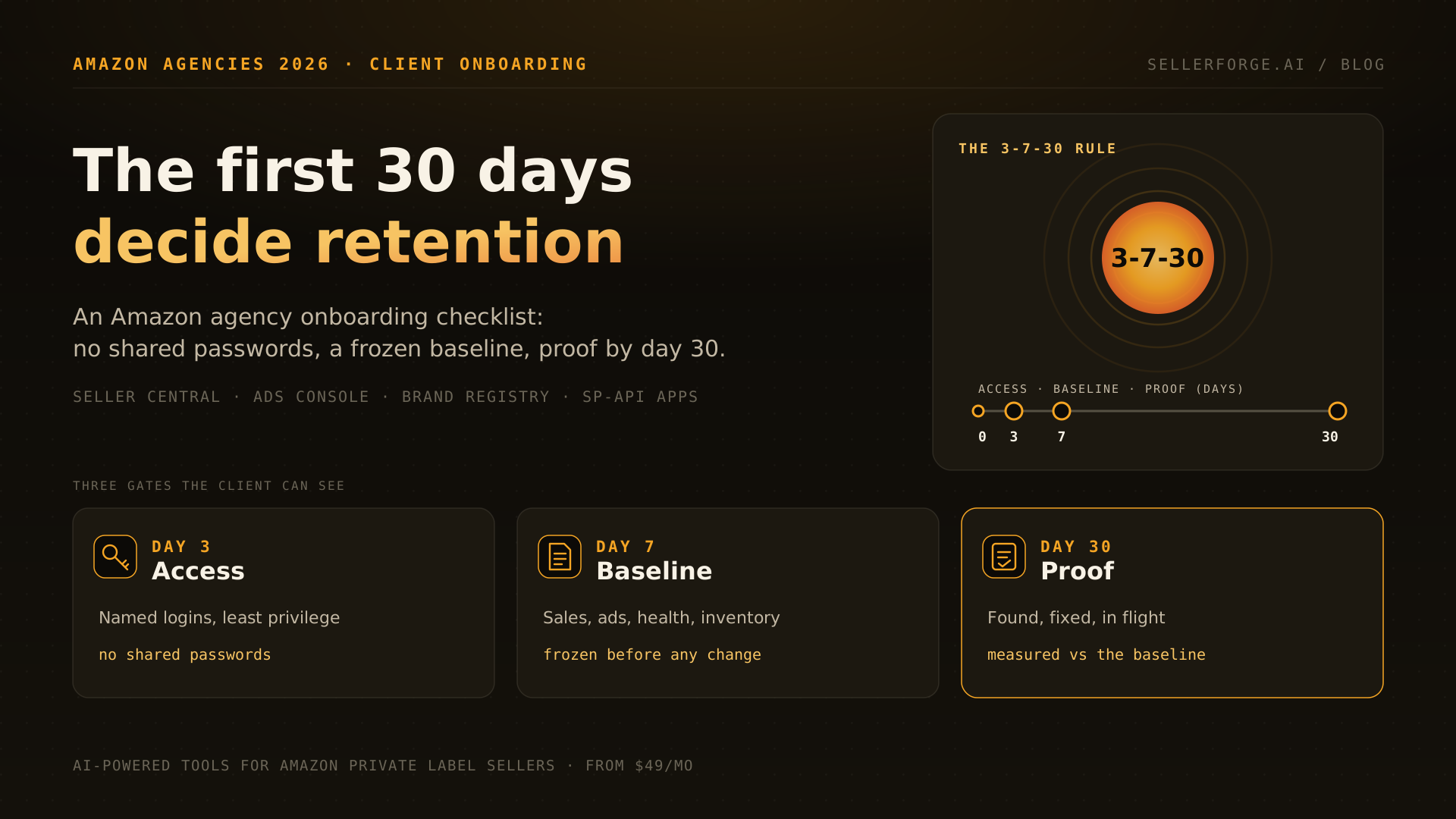
The 3-7-30 Rule sets three visible gates: least-privilege access working by day 3, a dated baseline frozen by day 7, and a written proof-of-work review with the client by day 30. Each gate produces something the client can read, so the first month stops being a quiet setup period and becomes evidence that the agency is paying attention.
| Gate | Deadline | What the client receives | Fails if |
|---|---|---|---|
| Access | Day 3 | A one-page access map: who has which login, on which surface, at which permission level | Anyone is still waiting on a shared password, or the agency has admin rights it does not need |
| Baseline | Day 7 | A dated export of the account before the agency changes anything, plus the top five issues found so far | The first optimization goes live before the snapshot exists |
| Triage | Day 14 | Account health, compliance and money-on-a-clock findings, each with an owner and a date | A policy warning or expiring claim is discovered by the client first |
| Proof | Day 30 | Found, fixed, in flight, waiting on you: measured against the day-7 baseline | The review is a revenue chart with no list of actions behind it |
What Access Does an Amazon Agency Need?
An Amazon agency needs named, individual logins on four surfaces: Seller Central, the advertising console, Brand Registry, and any software it connects through Amazon's app authorization. It needs View and Edit on the work in scope and nothing on bank, tax, deposit methods or user administration. The client keeps the primary login and a backup admin.
| Surface | How to grant it | Agency permission level | Never grant |
|---|---|---|---|
| Seller Central | Settings, User Permissions: invite each agency person by name and email | View and Edit on inventory, pricing, advertising, reports and performance; View on orders | Bank, tax and deposit settings; admin rights over users; the primary login |
| Amazon Ads console | Invite users to the advertising account, or link it to the agency's manager account | Campaign and budget editing for named managers; reporting for everyone else | Billing and payment method changes |
| Brand Registry | Administrator assigns roles | Registered Agent, only if the agency will report IP violations | Administrator or Rights Owner |
| Third-party tools (SP-API apps) | The client authorizes each app from its own login | Only the apps the agency actually uses, logged in the access map | Apps nobody can name; authorizations left behind by a previous agency |
Finally, require two-step verification on every agency login. Amazon began encouraging passkey sign-in for Seller Central in December 2025; an authenticator app or a passkey beats SMS codes on a shared office phone.
How Do You Run an Amazon Account Audit for a New Client?
Run a new-client Amazon audit as a baseline freeze: export the account's sales, traffic, advertising, health, inventory and listing data, date-stamp it, and share it before the first change goes live. The audit's first job is not finding problems. It is creating the reference point every later claim of improvement will be measured against.
Freeze these items by day 7, each with its export date:
- Sales and traffic: 30 and 90 day ordered revenue, units, sessions and unit session percentage, at account level and for the top 20 ASINs.
- Advertising: spend, ACoS and TACoS by campaign type (Sponsored Products, Brands, Display), plus the search terms with spend and no orders over 60 days.
- Account health: the Account Health Rating, each performance metric, and every open policy warning or listing deactivation, with dates.
- Inventory: stranded units, units aged past 180 days, FBA capacity limits, and anything inbound or stuck at receiving.
- Catalog: suppressed or inactive listings, missing images or A+ content on top sellers, and Featured Offer (Buy Box) share on the top ASINs.
- Money owed: lost, damaged and returned-but-not-received units that are still inside their reimbursement windows.
- The client's own plans: launches, price changes and promotions already scheduled, so they are not later mistaken for agency wins.
The last item matters more than it looks. When a client says "sales went up because we ran a Lightning Deal, not because of you", the only answer is a change log that started on day one. Share the frozen baseline with the client on day 7, so both sides agree on the starting line before anyone argues about the finish.
Account Health and Compliance Triage: What to Check in Week One
In week one, check the Account Health Rating, every performance metric against Amazon's targets, open policy warnings, and suppressed listings. Then check anything with money on a clock, because most FBA reimbursement claims now close about 60 days after the event. A problem the client discovers before the agency does is the fastest way to lose trust.
| Signal | Healthy target | If it is breached in week one |
|---|---|---|
| Account Health Rating | 200 or higher on Amazon's 0 to 1,000 scale | Stop growth work; build the root-cause response first |
| Order Defect Rate | Under 1% | Pull negative feedback, A-to-z claims and chargebacks by ASIN and fix the source |
| Late Shipment Rate (seller-fulfilled) | Under 4% | Check handling time settings and carrier cut-offs |
| Pre-fulfillment Cancel Rate (seller-fulfilled) | Under 2.5% | Check inventory sync between channels |
| Valid Tracking Rate (seller-fulfilled) | Above 95% | Fix carrier mapping and tracking upload |
| Policy warnings and IP complaints | None open | Log each one with its deadline; respond before any optimization |
| Reimbursement claims | Filed inside their windows | Run a reimbursement scan in week one, before more claims expire |
The order matters: triage before optimization. An agency that rebuilds campaigns in week one while a listing deactivation sits unanswered has picked the wrong first job, and the client will remember which one they noticed.
Who Decides What? Setting Reporting Cadence and Decision Rights
Agree reporting cadence and decision rights in writing during week one. Cadence means when the client hears from you: a weekly pulse, a monthly story, a quarterly strategy session. Decision rights mean what the agency can change on its own, what needs client approval, and who gets called when the account breaks. Ambiguity here causes more early friction than results.
- Agency can change without asking: bids and negatives, budgets within an agreed monthly cap, campaign structure, backend search terms.
- Needs client approval: prices, titles and main images, new product launches, coupons and deals, and any budget above the cap.
- Client must tell the agency: inventory problems, supplier changes, off-Amazon promotions, and any message received from Amazon.
- Escalation: one named contact on each side, with a response time, for account health notices and listing deactivations.
What Should the Client See at Day 30?
At day 30 the client should see a written proof-of-work review with four columns: found, fixed, in flight, and waiting on the client, each measured against the day-7 baseline. Revenue belongs in the review, but as context. Advertising and ranking changes take several weeks to settle, so the first month should be judged on what the agency found and fixed.
- Found: every issue the audit surfaced, with its estimated cost where it can be measured honestly.
- Fixed: what is resolved, with the date and the evidence, such as a reinstated listing or a filed claim.
- In flight: what is changing now and when the client should expect to see it in the numbers.
- Waiting on the client: approvals, documents and decisions that are blocking work, with dates.
Be honest about timing. Most credible agencies quote three to six months for meaningful growth, and the day-30 review is where you reset that expectation with evidence instead of promises. A client who can see thirty days of found-and-fixed work is far more patient in month three than one who only received a revenue chart.
Onboarding Mistakes That Make Clients Leave in Month Four
Clients rarely leave over a bad week. They leave in month four because onboarding created a surprise they never forgave: an unexplained drop, a missed warning, a change they did not approve. Nearly every one of those surprises traces back to a skipped step in the first 30 days, which makes onboarding the cheapest retention work an agency does.
- Working from a shared password, so nobody can tell who changed what.
- Optimizing before the baseline exists, so every later win is arguable.
- Leaving a previous agency's users or apps connected, so two teams edit the same campaigns.
- Forgetting the 365-day app reauthorization, so reporting silently stops a year later.
- Rebuilding all advertising in week one, so the data the client sees in month one is noise.
- Never writing down decision rights, so the first price change becomes an argument.
Where SellerForge Fits in Agency Onboarding (Disclosure: It Is Ours)
SellerForge fits agencies that want the baseline, triage and change log for every client in one account-aware workspace. Its Agency plan costs $499 a month and includes 10 Amazon seller accounts, with more at $39 a month each up to 40. It is not a PPC autobidder, a white-label client portal or a project manager.
- Pick SellerForge if: you onboard several clients a quarter and want baseline, triage, change log and weekly reporting per account without stitching tools together.
- Pick something else if: you mainly need automated bidding (Perpetua, Pacvue or Teikametrics are built for that), a branded client portal (see the white-label comparison), or task management (keep your project tool).
If I were starting a new client tomorrow, I would send the access map on day one, refuse any shared password, export the baseline before touching a bid, and book the day-30 review in the client's calendar before the kickoff call ends. None of that needs software. It needs the order to be fixed and visible.
About the author
David Gallo is the founder of SellerForge.ai. Before building SellerForge, he managed 57 Amazon seller accounts representing more than $350M in sales at Worldfront, where the client relationships that lasted were the ones set up properly in the first month. He writes about Amazon operations, agencies and tools from the operator's side.